Introduction
Maker Projects and Art in DIY and Tech bring a rush of creativity to anyone who wants to build, tinker, or craft. This collection focuses on beginner-friendly guides that turn curiosity into finished projects. You will find hands-on introductions to interactive LED art that responds to motion and sound. There are compact homelab weekend projects that teach networking, virtualization, and small-scale automation. We also spotlight stop-motion and creative crafts for low-cost, high-impact storytelling. Each guide uses accessible parts, clear steps, and realistic timeframes.
Expect checklists, safety tips, and troubleshooting notes that make complex ideas approachable. The tone is practical and inspiring. It celebrates experimentation, mistakes, and iteration. The goal is skills, not perfection. You’ll learn basic electronics, simple scripting, and framing techniques for animation. More importantly, you’ll connect with a supportive maker community that shares templates, answers, and project show-and-tells. Whether you want a weekend project or a longer creative habit, these guides prioritize learning, fun, and making together.
Interactive LED Art: Maker Projects and Art in DIY and Tech
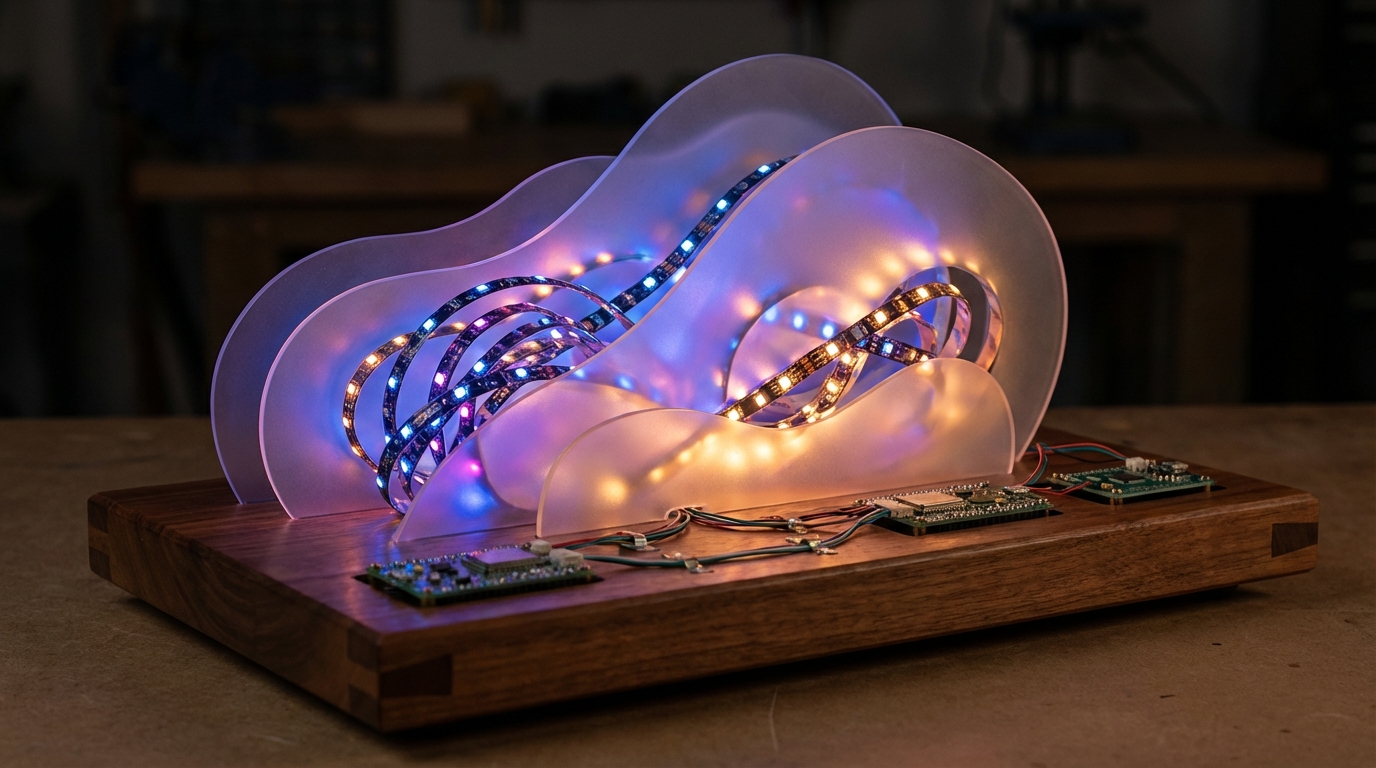
Beginner makers can create striking reactive sculptures using simple components inspired by Robert Quattlebaum’s Lumanoi work. Quattlebaum’s pieces draw on bubbles, Voronoi patterns, and diffusion panels and often combine laser-cut acrylic with custom PCBs. His prototype for Lumanoi took eight months to develop, a reminder that iteration matters.
Quick starter stack:
- LEDs: addressable strips (WS2812/NeoPixel) or APA102 for smoother color timing.
- Controller: ESP32 for Wi‑Fi and sound-reactive projects; Arduino Nano for compact builds.
- Optics: laser-cut acrylic layers and thin diffusion sheets to soften point sources.
- Power: 5V supply sized for pixel count (approx 60mA per full-bright LED).
- Fabrication: simple single-sided PCBs or order small custom PCBs once comfortable.
Practical tips:
Keep solder joints clean and test strings before sealing. Use diffusion spacing to hide individual points and emphasize flowing shapes. For generative effects, start with existing libraries (FastLED, NeoPixelBus) before authoring custom shaders.
Creative process and community:
“Concepts are easy, details are where it matters.” This mindset helps when shaping Voronoi layouts or laser-etching panels. Sharing prototypes at fairs or online accelerates learning; the maker community often supplies PCB files, laser-ready SVGs, and firmware examples. Robert’s work was highly recommended at Maker Faire Bay Area, showing how community validation fuels iteration.
Project ideas:
- a small Lumanoi-style desktop sculpture,
- a sound-reactive wall panel,
- a stop-motion sequence that animates LED diffusion frames.
Working in electronics and art is a constantly learning process.
Homelab Weekend Projects: Maker Projects and Art in DIY and Tech
Small-scale homelab projects are perfect weekend builds for beginners. They teach networking, virtualization, and reliable service deployment. You can set up a mini NAS, a local Git server, Home Assistant, or a media server in a single weekend.
Hands-on learning builds mental models. Troubleshooting a broken service teaches more than reading tutorials. Practical security practices — firewalls, SSH keys, backups — become habits. Makers who value career stability find homelabs useful for skill development and “security in work.”
A short historical note: community workshops shaped early devices like the YBox from 2007. Robert Quattlebaum attended a YBox workshop then helped develop YBox2 later while working with Adafruit and at Apple. Those projects show how small physical devices evolve into community-supported tools.
Starter stack for a weekend homelab:
- Raspberry Pi or small Intel NUC
- External SSD or small NAS enclosure
- Container runtime: Docker or Podman
- Reverse proxy: Caddy or Nginx
- Basic monitoring: Netdata or Prometheus + Grafana
Keep scope small. Use immutable images and versioned config. Automate backups before you change anything.
Community value: share images, Ansible playbooks, and notes. Post your setup at local meetups or online. As one maker puts it, “Life is short, so do things that you love.” Homelabs reward curiosity and reproducible practice.
| Project type | Materials / tools needed | Skill level | Time investment | Creative benefits |
|---|---|---|---|---|
| Interactive LED Art | Addressable LEDs (WS2812/APA102), ESP32/Arduino, laser-cut acrylic, diffusion sheets, basic soldering tools | Beginner–Intermediate | 4–20+ hours (small desktop to multi-layer pieces) | Teaches electronics, color and visual design, and generative coding; high visual payoff |
| Homelab Weekend Projects | Raspberry Pi or small Intel NUC, external SSD or NAS enclosure, Docker or Podman, network cable, power supply | Beginner | 4–16 hours (setup and basic services) | Builds networking and ops skills, practical security habits, reproducible workflow practice |
| Stop-Motion / Creative Crafts | Smartphone or camera, tripod, craft armature materials, paper/clay/mini props, basic editing software (iMovie, Blender) | Beginner | 2–12+ hours (short scenes to detailed sequences) | Strengthens storytelling, framing, model-making skills; low-cost, high-impact creative output |
Conclusion
Maker Projects and Art in DIY and Tech bring hands-on creativity, technical learning, and social connection into easy, achievable builds. Interactive LED art, homelab weekend projects, and stop-motion crafts each teach practical skills. They reward small experiments and steady iteration. As one maker says, “Life is short, so do things that you love.” That spirit drives curiosity, not perfection.
These projects help you learn soldering, scripting, networking, and storytelling. They also plug you into a community that shares files, tips, and feedback. That communal loop shortens learning curves and makes ambitious ideas possible.
LeisureQuest exists to help people turn free time into engaging quests. We highlight doable projects, step-by-step guides, and community resources that make starting easier. Explore more projects, tutorials, and show-and-tells at LeisureQuest. Join the conversation, start a weekend build, and share what you make.
Frequently Asked Questions (FAQs)
What are maker projects and who are they for?
Maker projects are hands-on builds combining craft, electronics, and code. They’re ideal for curiosity-driven people who like learning by doing. Start with low-cost kits and community tutorials. Local maker spaces and online forums help with tools and mentorship.
I’m a beginner — where should I begin?
Pick a small, well-scoped project: a 10–30 LED desktop diffuser, a one-day homelab on a Raspberry Pi, or a short stop-motion scene. Limit tools, follow a single tutorial, and share progress for feedback. Set measurable goals and a simple parts list to avoid scope creep.
How do I get started with interactive LED art?
Begin with addressable LEDs (WS2812 or APA102), a simple controller (Arduino Nano or ESP32), and a breadboard for prototyping. Use FastLED or NeoPixel libraries, test power budgets (about 60 mA per LED at full white), and diffuse light with acrylic or frosted sheets. Keep wiring neat and verify connections before powering. Start on USB power or a limited bench supply and add a dedicated 5V supply as you scale.
What should a weekend homelab include?
A compact host (Raspberry Pi or Intel NUC), storage (SSD), container runtime (Docker), and a reverse proxy (Caddy or Nginx). Automate backups, use SSH keys, and keep services minimal to learn fundamentals quickly. Use version-controlled configuration and document changes so you can reproduce setups later.
What creative benefits do stop-motion and crafts offer?
They sharpen storytelling, model-making, framing, and patience. Stop-motion pairs well with LED art for mixed-media pieces. Results are shareable, low-cost, and encourage iterative improvement. Sharing short behind-the-scenes clips invites feedback and builds community connections around your craft. Look for curated starter kits, community tutorials, and step-by-step videos to reduce friction and accelerate learning on your first three projects and feedback.