Beginner-friendly maker projects are where curiosity meets practical skills, and this guide opens that door for hobbyists eager to tinker. Whether you want to assemble a desktop 3D printer, hunt down hardware steals, or learn to program without an internet connection, these projects are accessible and rewarding. This introduction highlights approachable builds, reliable printers, and bargain tools that stretch your budget. It also points to offline coding workshops that teach fundamentals hands-on, without cloud friction.
Expect step-by-step starters, clear tool lists, and quick wins you can complete in an afternoon. We’ll spotlight safe component choices, basic troubleshooting tips, and ways to scale each project as confidence grows. No prior experience is required; just a curiosity to learn and a small set of tools. Read on to discover projects that teach core maker skills, sensible buying advice for hardware steals, and community-focused workshops for offline coding. By the end you’ll have project ideas that fit your time, space, and budget, plus next steps to keep improving.
Exploring Beginner-friendly Maker Projects
Embarking on beginner-friendly maker projects can be both exciting and educational. These projects offer a perfect blend of creativity and hands-on skills, suitable for anyone new to the DIY world. Here’s a look at some types of projects you might want to explore:
3D Printing
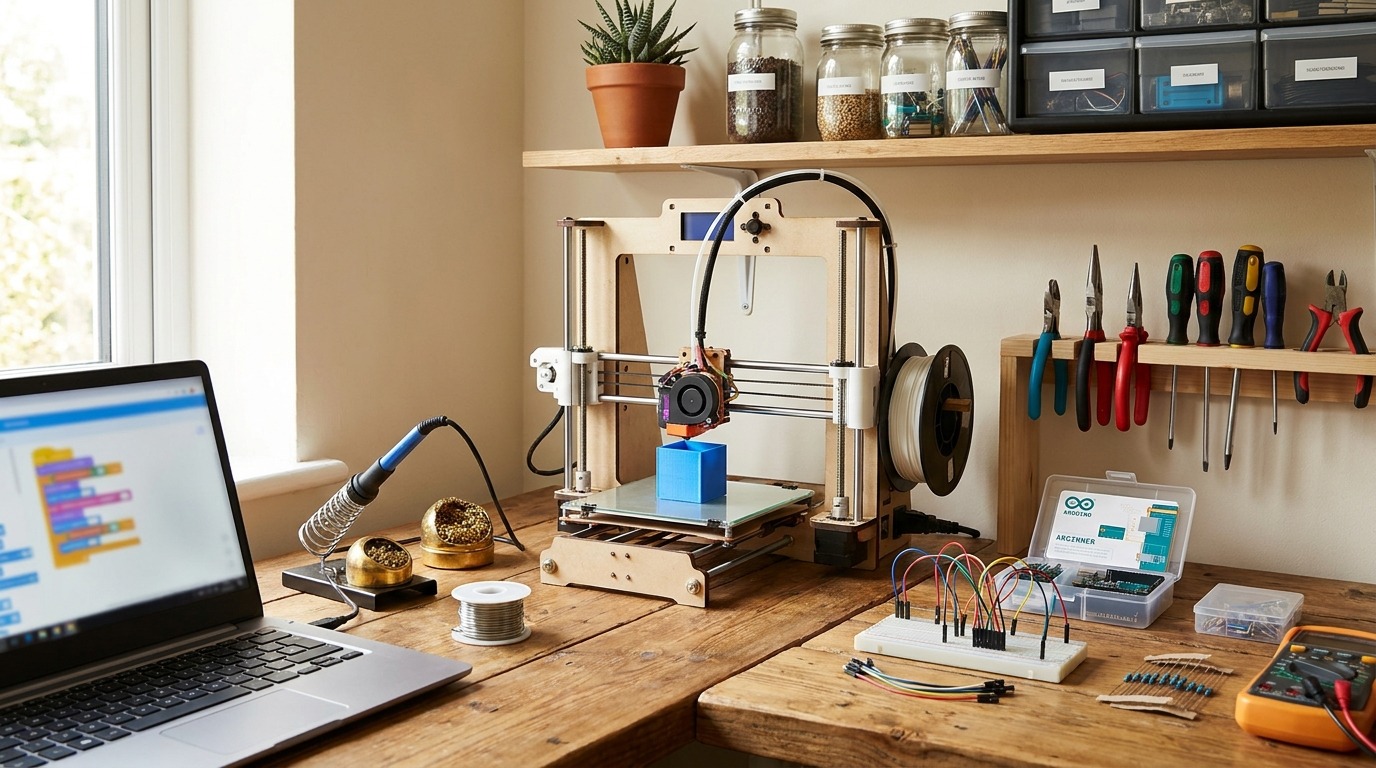
3D printing is a fantastic entry point into the maker community. It’s a process where digital models are turned into physical objects using a 3D printer. For beginners, starting with simple setups and designs is key:
- Materials Needed: Filament (such as PLA), basic 3D printer, and design software like Tinkercad.
- Getting Started Tips: Begin with small, existing designs from online repositories like Thingiverse before creating your own.
Simple Electronics
Simple electronics projects can demystify basics of circuits and sensors. They range from building a basic LED circuit to assembling your first robot.
- Materials Needed: Breadboard, wires, resistors, LED lights.
- Success Tips: Start with kits designed for beginners, such as those from Arduino or Raspberry Pi, which often include step-by-step guides.
Crafting with Easy Tools
Crafting combines creativity with DIY skills, perfect for creating decorative items or gifts.
- Materials Needed: Hot glue gun, scissors, fabric, and paints.
- Preparation: Choose projects with detailed tutorials to follow, ensuring you have all necessary materials before starting.
Whether you’re printing, soldering, or crafting, each project offers an opportunity to learn something new. With a little patience and creativity, you can enjoy the rewarding experience of creating with your hands. Always remember to ensure safety by working in a well-ventilated area and wearing appropriate gear when necessary.
Best hardware steals for makers
Hardware steals for Beginner-friendly maker projects
Stretching your budget doesn’t mean sacrificing capability. Focus on gear with strong community support, easy-to-find spare parts, and simple upgrades. Below are practical recommendations and tips to help build an affordable, reliable workshop.
Top budget-friendly 3D printers
- Creality Ender 3 V2 / Ender 3 Neo — large user base, many upgrade guides, widely available spare parts.
- Anycubic Kobra Go / Anycubic Vyper — quick assembly and decent out-of-box leveling for beginners.
- Elegoo Neptune 2S — compact, steady prints for small projects.
Electronics and single-board computers
- Arduino Uno and compatible clones — perfect for learning circuits without cost-prohibitive prices.
- ESP32 development boards — Wi-Fi/Bluetooth on a budget for IoT projects.
- Raspberry Pi Zero 2 W — low-cost coding station for offline workshops.
- Sensor and LED starter kits — bundled sensors and modules save money versus buying parts individually.
Essential tools and low-cost accessories
- Temperature-controlled soldering iron and basic soldering kit.
- Quality digital multimeter and wire stripper.
- Precision screwdriver set, tweezers, and flush cutters.
- Calipers and spare nozzles for the printer.
- Filament sampler packs (PLA) and a basic filament storage box.
Shopping tips to land steals
- Buy discontinued or last-year models for big discounts; ensure parts remain available.
- Prefer open-source or community-supported devices; troubleshooting guides are abundant.
- Check local classifieds, maker-space sales, and refurbished sections for steep savings.
- Compare kit vs assembled: kits save money and teach assembly; assembled units save time.
- Verify return policies, shipping times, and whether critical parts (power supply, hotend) are replaceable.
Prioritize safety and upgrade paths. A few smart purchases now (good soldering kit, multimeter, and a community-backed printer) make future projects easier and cheaper.
| Brand | Model | Price Range | Ease of Use | Best For |
|---|---|---|---|---|
| Creality | Ender 3 V2 | $180–$260 | Moderate | 3D printing, prototyping, upgrades |
| Creality | Ender 3 Neo | $170–$230 | Easy-Moderate | Entry-level printing, hobby parts |
| Anycubic | Kobra Go | $150–$220 | Easy | Fast setup, small to medium prints |
| Anycubic | Vyper | $250–$350 | Easy | Larger prints, automated leveling |
| Elegoo | Neptune 2S | $140–$200 | Easy | Compact prints, desktop projects |
| Prusa | Mini+ | $400–$500 | Very Easy | Reliable prints, education, serious hobbyists |
| Arduino (Uno or clone) | Uno | $8–$25 | Very Easy | Learning electronics, DIY circuits |
| Espressif | ESP32 Dev Board | $5–$15 | Easy | IoT, Wi-Fi/Bluetooth projects |
| Raspberry Pi | Zero 2 W | $15–$35 | Moderate | Offline coding, coding stations, lightweight servers |
| Soldering Iron | TS100 / budget soldering kit | $30–$80 | Moderate | Soldering, electronics assembly |
| Multimeter | Generic digital DMM | $15–$45 | Very Easy | Troubleshooting, voltage/current checks |
Notes: price ranges reflect typical retail and discounted listings as of recent years. Ease-of-use ratings consider community support, setup time, and required tuning. Use this table to match a device to your project goals and budget.
Conclusion
Beginner-friendly maker projects, hardware steals, and offline coding workshops make hands-on learning inviting and achievable. Small 3D printers, simple electronics kits, and basic tools lower the entry barrier. Budget-friendly buys and community-backed gear mean you can start with modest spending. Offline workshops and local meetups offer guided practice away from screens. These experiences teach practical skills and boost confidence fast. Start small: one project, one kit, and a few focused evenings of work. Track progress, ask questions in forums, and reuse parts across projects to save money.
LeisureQuest serves as a curated guide to quality leisure time that inspires people to explore, play, and keep learning in their free time. Visit LeisureQuest for more project ideas, buying tips, and workshop pointers tailored to hobbyists. The maker path rewards curiosity and persistence. With a few smart purchases and a willingness to tinker, anyone can build useful skills and create satisfying projects. Take the first step today, join a local workshop or online community, and let small wins fuel bigger ambitions.
Frequently Asked Questions (FAQs)
What’s a good beginner-friendly 3D printer?
The Creality Ender 3 V2 is highly recommended for beginners. It is affordable, boasts a large community, and offers plenty of tutorials for initial setup and upgrades.
How can I find hardware at a steal?
Look for community-supported tools and keep an eye on local classifieds, maker-space sales, and refurbished stores to find steep discounts on older models.
What essential tools should I start with?
Basics like a digital multimeter, soldering iron, and a good set of precision screwdrivers lay a solid groundwork for most beginner projects, covering electronics to assembly.
Can I code offline without the internet?
Yes, Raspberry Pi makes for an excellent offline coding platform, providing an educational environment for learning Python and Linux through the built-in Raspbian OS.
Where can I learn more about maker projects?
LeisureQuest offers curated guides for exploring new DIY hobbies, providing inspiration, project ideas, and tips to help you develop new skills. Visit LeisureQuest for more details.