The Canvas Ransomware Attack exposed stark fragilities across digital learning platforms and the connected maker environments they support. In the span of a few days, attackers escalated from file encryption to targeted extortion, demonstrating how a compromise of a single educational service can cascade into lost project data, inaccessible firmware, and stalled fabrication in school maker labs and home workshops.
For hobbyists, teachers, and small makerspaces, the risk is not theoretical: IoT-enabled tools, shared repositories, and automated build processes create many paths for attackers to reach source files, machine controllers, and sensitive student data.
This article takes a technical, practical view of those risks and the defensive controls you can apply: hardening device firmware and network segmentation, securing version control and backups, and validating supply-chain updates for tools like 3D printers and CNC controllers. Read on to learn concrete steps that reduce operational exposure and preserve the integrity of your DIY projects without requiring enterprise budgets.
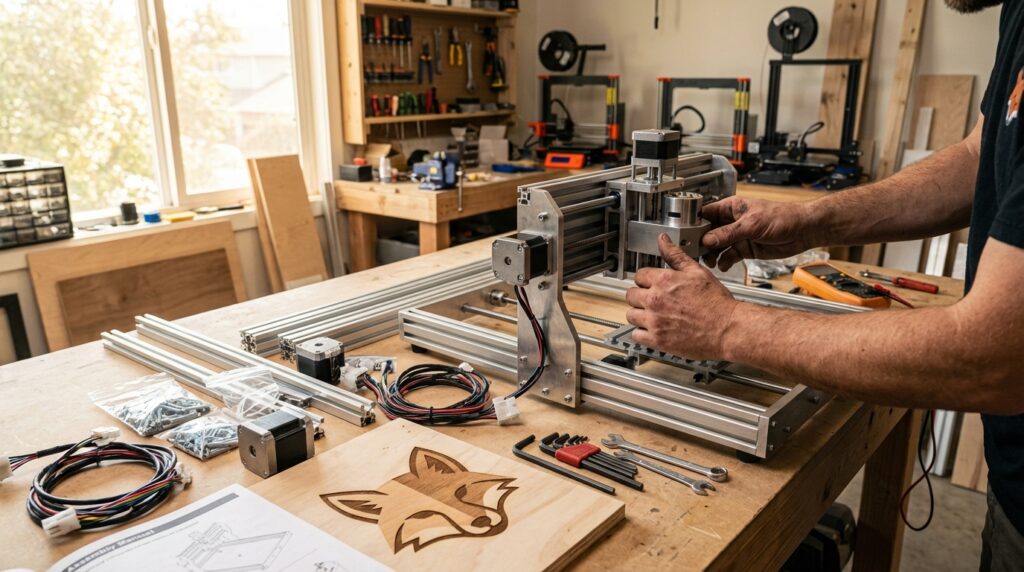
Header image concept: a dimly lit maker lab overlaid with translucent code and a red warning symbol projected onto a digital learning dashboard—3D printers and laptops in silhouette to convey the intersection of physical fabrication and cyber threat.
Details of the Canvas Ransomware Attack
On May 1, Instructure identified a security incident affecting its Canvas platform. The event escalated quickly from service disruption to confirmed data exfiltration and extortion. Canvas was placed in maintenance mode as engineers investigated and attempted containment and recovery.
Timeline and scope of the Canvas Ransomware Attack
- May 1: Initial security incident detected by Instructure.
- Rapid escalation followed, with attackers claiming large-scale impact.
- The hackers claimed the breach affected more than 8,800 schools.
The affected population included thousands of U.S. schools and institutions worldwide. The operational impact reached classroom access, course content, and any maker or lab workflows that depend on Canvas-hosted files and communications.
What was exposed
Technical analysis and Instructure notifications identified categories of user data that were accessed or copied during the breach. Short, specific items observed include:
- Personal identifiers: names and email addresses.
- Institutional identifiers: student ID numbers and institutional IDs.
- Internal communications: messages exchanged on the platform between users.
Each of these data classes increases risk for targeted phishing, account takeover, and social engineering against students, instructors, and lab technicians who manage maker tools.
Public claims and official statements
The attackers released a public claim of scale: “The hackers claimed the breach affected more than 8,800 schools.” That assertion drove immediate scrutiny from affected institutions and media.
Instructure issued an operational update stressing containment: “Canvas is fully operational, and we are not seeing any ongoing unauthorized activity.” The statement framed the platform’s recovery while investigations continued.
Why this matters for maker spaces and DIY projects
Even when a platform returns to service, exfiltrated data can enable follow-on attacks. Firmware files, shared project repositories, and account credentials stored or referenced inside Canvas can be weaponized to reach IoT devices and fabrication equipment. Understanding the concrete timeline, scope, and data types in this incident helps makers prioritize immediate mitigations: revoke exposed credentials, rotate API keys, and verify integrity of shared design files.

Figure: Holographic shield over a maker workbench illustrating cyber protection for DIY tools.
Lessons from the Canvas Ransomware Attack
The Canvas Ransomware Attack underscores practical, transferable lessons for anyone running maker tools, home labs, or school makerspaces that depend on a digital learning platform. The incident shows how data access and credential exposure can escalate into operational disruption for physical fabrication equipment.
Core cybersecurity hygiene
- Enforce strong, unique passwords and multi-factor authentication for accounts tied to project repositories and machine controllers. Prioritize MFA on accounts that integrate with third-party tools.
- Apply principle of least privilege: limit who can upload firmware, approve builds, or access shared design files. Treat instructor and technician accounts with elevated scrutiny.
- Keep control software and dependency stacks up to date. As journalists such as Lily Hay Newman and Andy Greenberg have noted, attackers exploit known vulnerabilities when patching lags.
Backup and recovery strategies
- Maintain offline, immutable backups of design files, firmware, and build configurations. Regularly test restoration procedures in a controlled environment.
- Use versioned backups and source control with access logs. Recovering a previous clean commit is often faster than negotiating or rebuilding after ransomware.
- Segregate backups from production networks to prevent simultaneous encryption.
Network and device segmentation
- Segment maker equipment, IoT controllers, and administrative systems onto separate VLANs or physical networks. Limit cross-network access with firewalls and ACLs.
- Place build servers and repositories behind jump hosts or bastion services to reduce direct exposure.
Supply-chain and firmware validation
- Verify digital signatures on firmware and retain cryptographic hashes for published builds. Reject unsigned updates to CNCs, 3D printers, or microcontroller toolchains.
- Vet third-party integrations and plugin sources before connecting them to classroom workflows.
Operational vigilance and incident readiness
- Establish an incident playbook: revoke exposed credentials, rotate API keys, and isolate affected hosts immediately.
- Train staff and students in phishing recognition; exfiltrated emails and IDs from services like Instructure increase social‑engineering risk.
- Coordinate disclosure and follow reputable reporting; named-security researchers and outlets help prioritize mitigations.
Taken together, these measures reduce the attack surface for ransomware and improve recovery for DIY projects and maker tools without requiring enterprise-scale resources.
Quick comparison: cybersecurity measures for DIY makers vs. educational platforms
| Measure | DIY Makers | Educational Platforms (e.g., Canvas) |
|---|---|---|
| Authentication & access control | Strong unique passwords; MFA on admin and device accounts; local account isolation | SSO and enterprise MFA; role-based access controls; session monitoring |
| Backups & recovery | Offline immutable backups; versioned source control; test restores regularly | Encrypted, frequent backups; retention and DR testing; isolated backup stores |
| Network & device segmentation | Separate maker VLANs; air-gap critical controllers; firewall rules | Microsegmentation; tenant isolation; strict perimeter and east-west controls |
| Patch management | Test firmware and software updates before deployment; scheduled maintenance windows | Centralized patch management; vendor coordination; rapid CVE response |
| Supply-chain & firmware validation | Verify signatures and hashes; reject unsigned builds | Signed releases; vendor attestation; supply-chain risk assessments |
| Monitoring & incident response | Local logs, file-integrity checks; simple isolation playbook | Centralized logging (SIEM); IR team; coordinated communication plans |
| User training & phishing | Short workshops and checklists for students and hobbyists | Mandatory security training, phishing simulations, admin drills |
| Least privilege & change control | Limit upload/flash privileges; approve firmware pushes | Role separation, change control workflows, audit trails |
Conclusion
The Canvas Ransomware Attack is a clear signal: digital learning platforms and the maker environments they support are attack vectors. The incident should motivate both educational administrators and individual makers to act. Cybersecurity hygiene, tested backups, and strict device segmentation are not optional. They are operational necessities to preserve project integrity and protect students.
Adopt pragmatic controls that scale to your resources. Enforce multi-factor authentication and least privilege. Keep firmware and control software patched. Use immutable, offline backups and verify firmware signatures before flashing devices. Train users to spot phishing and respond to suspected compromises quickly.
Small makerspaces and hobbyists can achieve meaningful risk reduction without enterprise budgets. Practical steps—segmented networks, versioned source control, and an incident playbook—reduce exposure and speed recovery.
LeisureQuest exists to help you explore, play, and keep learning safely. Our mission is to make experiences resilient by promoting tools, practices, and awareness that protect creative work. Visit LeisureQuest for resources and guidance on securing your projects and learning environments.
Take action now. Improve awareness, harden systems, and test recovery plans regularly. The cost of prevention is far lower than the cost of disruption.
Frequently Asked Questions (FAQs)
Q1: What was the practical impact of the Canvas Ransomware Attack on schools and makers?
The breach interrupted Canvas availability and resulted in data exfiltration that raised phishing and account‑takeover risk. For makers, exposed credentials or files can be used to deliver malicious firmware or to steal/alter design assets.
- Real-world scenario: An exposed instructor account with repository access allowed an attacker to push modified firmware to a classroom 3D printer, causing repeated print failures.
- Practical tips: Revoke/rotate credentials, require MFA, audit recent commits and firmware updates, and restore critical files from offline immutable backups.
Q2: What types of user data were compromised and how does that affect DIY projects?
Data types included names, emails, student/institution IDs, and platform messages. That information makes social‑engineering attacks more convincing and can be used to request unauthorized device access.
- Scenario: A convincing email from a supposed IT admin asks a makerspace tech to approve a firmware update link.
- Tip: Verify requests out-of-band (phone or known admin portal), whitelist signed firmware, and train staff to confirm identity before acting.
Q3: What immediate steps should a makerspace or hobbyist take after learning a platform was breached?
Act fast to contain and validate your environment.
- Actions: Revoke exposed credentials and API keys, force password resets, enable MFA, isolate build servers and controllers, and run integrity checks on firmware and designs.
- Tip: Test restores from offline backups in a sandbox before redeploying to hardware.
Q4: What long‑term protections reduce ransomware risk for DIY projects and educational platforms?
Adopt layered defenses focused on authentication, segmentation, and supply‑chain validation.
- Controls: Least privilege, network segmentation (separate VLANs for devices), signed firmware validation, regular patching, versioned source control, and offline backups.
- Implementation tip: Start with a simple VLAN split and MFA rollout, then add automated integrity checks and signed-release workflows.
Q5: Who should I notify and where can I find guidance for recovery?
Notify your institution’s IT/makerspace lead, affected users, and follow your organization’s incident response and legal reporting procedures.
- Resources: Coordinate with campus IR teams or local CERTs and use practical guidance from LeisureQuest for maker-focused recovery.
- Tip: Prepare a one‑page incident checklist (revoke, isolate, restore, communicate) and keep it accessible.