DIY Internet Routers 2026: Hands-on Weekend Projects for Home Networking Builds
DIY Internet Routers 2026 are no longer the exclusive realm of network engineers. Hobbyists can wire, flash, and mount a reliable home router in a single weekend using affordable boards, open firmware, and fast NICs. This article pairs that technical satisfaction with maker culture projects—wooden-framed 3D printers built between coffee and firmware flashes, and PopTuber shaping sessions to craft custom, stylish enclosures.
You will get practical, hands-on guidance. Choose hardware. Flash OpenWrt or OPNSense. Configure VLANs and firewall rules. Bench-test throughput and troubleshoot interrupts. Modern mini-PCs and ARM boards make full-Gigabit routing realistic without a rack of enterprise gear. Expect short project timelines, clear parts lists, and tips for power, thermal management, and tidy cable routing.
Tone is technical but friendly, with a wink. We celebrate small victories: a silent fan, a clean DHCP lease, a patterned PopTuber shell that actually fits. If you like fresh-cut plywood, solder smoke, and the quiet thrill of traffic flowing through hardware you built, read on. By 2026, building your own router is surprisingly simple and deeply satisfying.

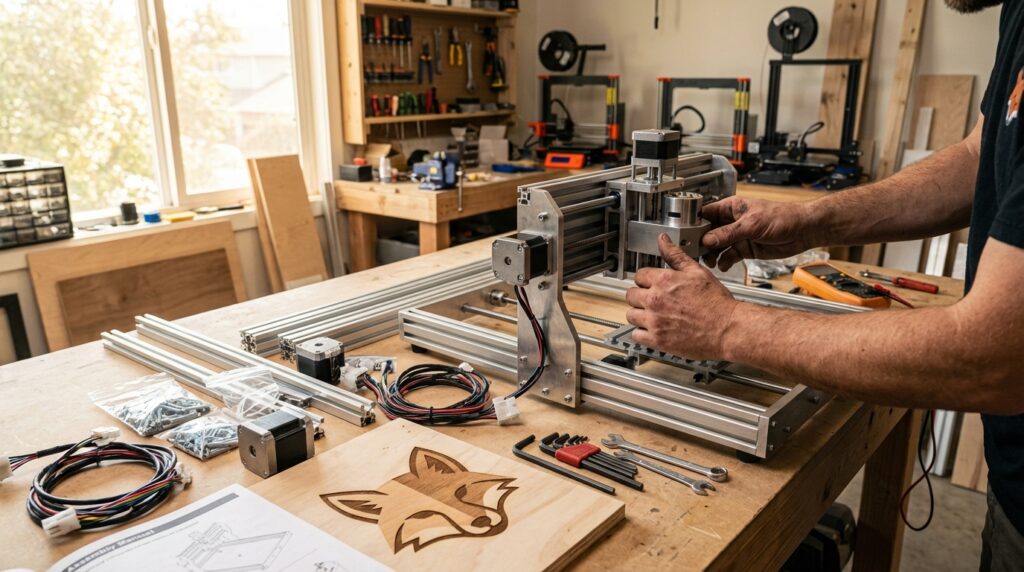
Workbench photo illustrating a hands-on DIY internet router build setup.
DIY Internet Routers 2026 — Choosing hardware
Selecting the right networking hardware is the single most practical decision in a weekend router build. Your choice determines real-world throughput, power draw, and how much soldering or cable management you’ll need. Below are the primary options and what they mean in 2026.
Hardware options and trade-offs
- Raspberry Pi 4 (ARM hardware)
- Best for learning and low-cost experimentation. Small, widely supported, and easy to flash with OpenWrt builds.
- Caveat: native Ethernet on many Pi 4 boards is limited by a USB 2.0 bridge for some ports. Expect roughly ~300 Mbps without USB 3.0/PCIe NIC workarounds.
- Good for firewall/VPN lab work and lightweight home networks; add a USB 3.0-to-Gbit Ethernet adapter or a PCIe NIC (with a carrier) for better Gbit performance.
- Banana Pi BPI-R4 and OpenWrt dedicated boards
- Purpose-built for routing with integrated Gbit Ethernet ports and more robust packet-handling hardware.
- Price: plan on $100+ for boards in this class (OpenWrt One, Banana Pi BPI-R4 and similar).
- These boards give more predictable Gbit Ethernet performance and lower CPU overhead for NAT and routing.
- Mini-PCs / x86 appliances
- Use when you need advanced features (virtualization, heavy DPI, enterprise-level packet inspection).
- Often include multiple Gbit NICs, PCIe expansion, and AES-NI for VPN acceleration.
- Higher cost and power draw, but highest flexibility for OPNSense, pfSense, or dedicated OpenWrt ports.
Key specs to prioritize
- Gbit Ethernet (1 Gbps NICs minimum). Anything less will bottleneck modern broadband.
- Bus topology: avoid single USB 2.0 buses for WAN+LAN. Prefer native MACs on SoC or PCIe lanes for NICs.
- Hardware acceleration: AES-NI or crypto offload if you plan to run many VPN tunnels.
- Thermal and power considerations: compact ARM hardware can run hot; plan passive heatsinks or quiet fans.
Quick recommendations
- For budget DIY: Raspberry Pi 4 + USB 3.0 Gbit adapter for light-to-moderate home networks.
- For reliable Gbit routing without extra mods: Banana Pi BPI-R4 or OpenWrt-branded router boards (~$100+).
- For advanced users: a small x86 mini-PC with multiple NICs and PCIe expansion.
Choosing the right networking hardware in 2026 is about balancing cost, throughput, and future needs. Pick the platform that matches your bandwidth expectations and willingness to tinker.
| Model | Approx cost (USD) | Typical network speed | USB / expansion | Notable features / Best for |
|---|---|---|---|---|
| Raspberry Pi 4 | $35–$75 | ~300 Mbps native (USB 2.0 limits); can reach ~1 Gbps with USB 3.0 adapter or PCIe | USB 3.0 (x2), USB 2.0 (x2); needs carrier for PCIe | Widely supported, easy OpenWrt builds, great for learning and lightweight networks |
| Banana Pi BPI-R4 | $100+ | Native multiple Gbit Ethernet ports — reliable Gbit routing | USB ports; some revisions offer PCIe/m.2 options | Purpose-built for routing, predictable Gbit performance, recommended for home Gbit builds |
| OpenWrt One | $100+ | Designed for Gbit+ routing; multiple NICs | Varies by board but built for routing expansion | Official OpenWrt support; low-power router appliance for DIY projects |
| LeMaker Banana Pro | $40–$80 | Often limited by older bus designs; may not sustain full Gbit | Primarily USB 2.0; limited expansion | Budget ARM board for experiments—verify revision for networking use |
Caption: This table helps you quickly compare cost, expected throughput, expandability, and use cases when choosing hardware for DIY Internet Routers 2026 projects.
Software for DIY Internet Routers 2026 — OpenWrt, OPNSense, and the toolchain
The software ecosystem for DIY routers matured by 2026. OpenWrt remains the go-to for ARM hardware and small appliances. It gives a compact, package-driven Linux with LuCI GUI, opkg packages, and a focused network stack. OPNSense and pfSense excel on x86 platforms; they provide full-featured firewalling, plugin ecosystems, and a polished web UI for advanced services.
Choose software by platform and goals. Pick OpenWrt for lean, tunable builds, VLANs, flow offload, and small-footprint VPNs. Pick OPNSense for heavy throughput, IDS/IPS, virtualization, and forensic logging. Both support VLAN tagging, QoS, and modern VPN protocols.
Boot and storage considerations affect reliability. Many ARM boards boot from SD cards or eMMC. SD cards wear out under heavy logs or overlay usage. Where possible, use eMMC, SATA, or NVMe for system partitions. Configure read-only rootfs or rotate logs to preserve media. Use sysupgrade-compatible images and verify checksums before flashing.
Troubleshooting is part of the hobby. As one hobbyist said, ‘dealing with ISA PnP configuration nonsense from yesteryear doesn’t hold a candle to the fascinating troubleshooting you get to do these days.’ Expect kernel messages, device tree quirks, and bootloader fiddling. Use a serial/UART console to capture dmesg and U-Boot output. Keep a USB-to-TTL adapter and the right pinout chart handy.
Quick diagnostics and commands
- Check link and speed:
ethtool <iface> - Inspect IPs/routes:
ip addr; ip route - Test throughput:
iperf3(server/client) - View kernel logs:
dmesg; logread; journalctlon x86
Recovery tips
- Use failsafe or single-user modes to reset configs.
- Keep a known-good image on a spare SD card for recovery.
- Reflash over TFTP or use vendor recovery when the bootloader supports it.
Expect surprises but also fast wins. The toolchain and community support make root-cause hunts rewarding. With sensible backups and a serial console, most failures resolve in a few focused steps.
Conclusion
DIY Internet Routers 2026 unlock a pragmatic, playful path into serious home networking. Building your own router no longer requires server racks or arcane vendor consoles—just a weekend, a few well-chosen parts, and the willingness to learn packet-level plumbing. That combination turns routine home gear into a miniature lab for learning encryption, VLANs, QoS, and creative enclosure making.
Treat a weekend build as both project and classroom. Start small with a Pi or LeMaker board, graduate to a Banana Pi or OpenWrt One when you need solid Gbit Ethernet, and step up to a mini x86 box for advanced services. Expect occasional bootloader quirks and log-file scavenger hunts; those are the bumps that make troubleshooting oddly rewarding.
If you want guides, community tips, and project prompts, LeisureQuest collects hands-on DIY resources that help convert curiosity into a satisfying build. Visit LeisureQuest for ideas, templates, and project inspiration.
So solder, shape, flash, and laugh a little when the LEDs blink the wrong way. Dive into your own home networking build with confidence, technical curiosity, and a dash of maker humor—your network will thank you.
Frequently Asked Questions (FAQs)
What hardware should I pick for a weekend DIY router build?
Start with a platform that matches your goals. For learning and low-cost experimentation, use a Raspberry Pi 4. It boots easily, runs OpenWrt builds, and keeps the parts list simple. If you need reliable native Gbit Ethernet without add-ons, choose a Banana Pi BPI-R4 or an OpenWrt-focused board. Step up to a small x86 mini-PC when you want advanced services like virtualization or heavy DPI. Consider bus topology, expansion slots, and cooling when you decide.
How much should I expect to spend?
Budget builds with a Raspberry Pi and a USB-to-Gbit adapter can start below $100. Purpose-built router boards such as the Banana Pi BPI-R4 or OpenWrt One typically run $100 or more. Factor in PSU, cables, a case or enclosure, and optional items like a USB-to-TTL adapter or extra NICs. If you buy a mini x86 appliance, expect higher costs and power consumption but greater performance and flexibility.
Can a Raspberry Pi 4 handle gigabit internet?
Short answer: sometimes. Out of the box, Pi 4 boards often top out around ~300 Mbps because of bus/bridge limitations for some Ethernet paths. You can reach full gigabit speeds with a USB 3.0 Gbit adapter or a PCIe-based NIC via a carrier board. If full Gbit line-rate is essential, prefer hardware with native Gbit MACs or PCIe lanes.
Which router software should I use: OpenWrt or OPNSense?
Match software to hardware and use case. OpenWrt is compact and ideal for ARM hardware and small, tunable builds. OPNSense (and pfSense) fits x86 appliances and larger deployments requiring IDS/IPS, virtualization, or heavy logging. Both support VLANs, QoS, and modern VPNs; pick the toolchain that fits your comfort level and features.
What are the best troubleshooting and recovery tips?
Keep a serial/UART adapter handy and capture boot logs. Maintain a spare, known-good image on an SD card. Use ethtool, ip addr, and iperf3 for diagnostics. Rotate logs or use eMMC/NVMe to avoid SD wear. When stuck, boot into failsafe, reflash a tested image, and consult community forums for device-tree quirks. Above all, back up configs before tinkering.