Family-Friendly Gaming: How Platforms Are Changing (Age Controls, Big Franchises, and Storefront Trends)
Roblox platform updates are accelerating a shift in family-friendly gaming. Platforms are reconsidering age controls, tightening verification, and reshaping storefronts to make discovery safer for children.
Big franchises bring familiar, curated experiences but also higher monetization and moderation demands. This article unpacks those trends and gives practical guidance for parents, educators, and developers navigating the changing landscape.
You’ll learn what the latest age verification steps mean for child safety, how storefront algorithms influence what kids see, and why branded partnerships complicate moderation.
We focus on clear, actionable steps: setting parental controls, reviewing purchase flows, and choosing age-appropriate titles. The tone is informative and cautiously optimistic—platforms can improve safety without stifling creativity, but families must stay engaged.
Read on for concise insights and hands-on tips to help your household play, explore, and learn with greater confidence today.
Roblox Platform Updates on Age Controls and Safety
How Roblox platform updates strengthen child safety
Roblox recently stepped back from the 2021 renaming that labeled creations as “experiences” and restored the clearer term “games.” As the company put it, “‘Games’ is clearer and better reflects what Roblox is and where we’re going.” That change matters: clearer labeling helps families understand what children are accessing.
A more consequential change is mandatory age verification for users aged nine and up. Roblox reports that over 50% of its roughly 144 million daily users have completed the age check. Verifying age bands enables the platform to apply differentiated protections rather than a one-size-fits-all approach.
Practically, age verification improves child safety by allowing more targeted content moderation and default parental controls. When a profile is identified as younger, platforms can enforce stricter chat filters, block unmoderated multiplayer lobbies, limit direct messaging, and require purchase approvals. Moderation tools become more effective because they operate with clearer signals about who the user is.
What this means for families: discovery and storefronts can be adjusted to surface age-appropriate titles, reducing accidental exposure. Developers also must follow clearer labeling and content rules tied to age bands.
Action steps for parents and caregivers:
- Complete the platform’s age verification for your child’s account.
- Enable parental controls and set spending limits or purchase approvals.
- Turn on stricter chat and friend-request filters for younger accounts.
- Regularly review privacy settings, friend lists, and activity reports.
- Keep the app updated and discuss safe online behavior with children.
These measures make Roblox’s environment safer and more navigable for families while preserving creative play.

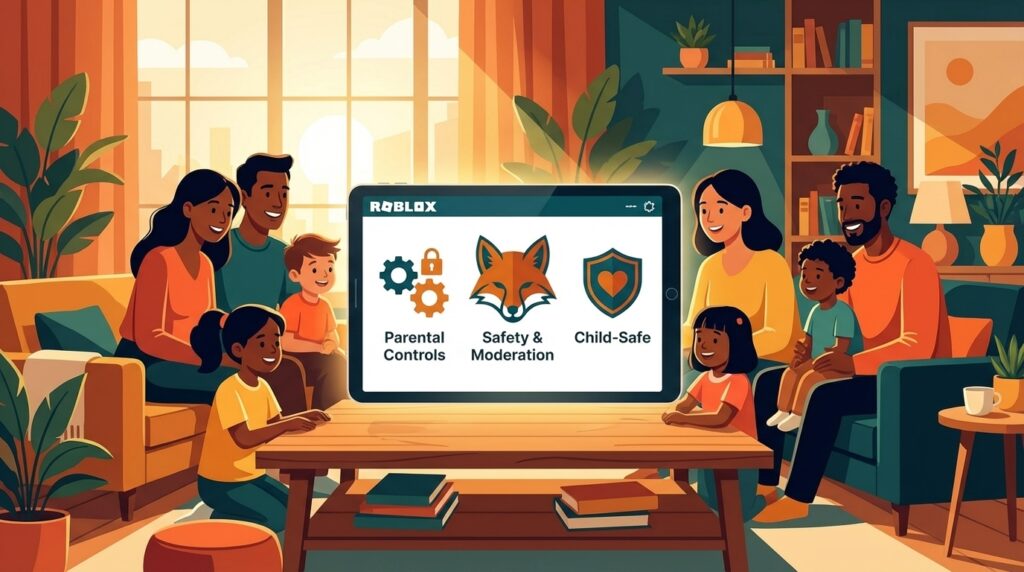
Image description: Illustration of a cozy living room where diverse family members use devices to play together. A child holds a tablet, a teenager uses a laptop, a parent supervises on a tablet, and a grandparent smiles while checking a phone. Screens display abstract colorful game scenes. The scene emphasizes safety, inclusion, and fun with warm lighting and friendly body language.
Storefront Trends Comparison
| Platform | Storefront discoverability | Age controls & age verification | Parental settings | Content moderation | Family-friendly initiatives / Recent changes |
|---|---|---|---|---|---|
| Roblox | Algorithm-driven discovery focused on trending, user-created titles and creator-run events. High variety but variable quality signals. | New mandatory age verification for users 9+; age bands now used to gate content and tailor filters. Over 50% of daily users completed the check. | Granular account controls: purchase approvals, spending limits, privacy toggles. Defaults are increasingly stricter for younger accounts. | Mix of automated filters and human review. Moderation behavior adapts by declared age band to reduce exposure to unsuitable content. | Reverted “experiences” to “games” for clearer labeling. Age checks integrated with storefront filtering to surface age-appropriate results. |
| Xbox (Microsoft) | Curated editorial sections, themed collections (e.g., Game Pass), and personalized recommendations. Less noisy discovery than open creator marketplaces. | Account birthdate enforces age gating; parental account hierarchies restrict access by age. | Microsoft Family Safety app: screen time, purchase approvals, activity reports and cross-device controls. | Reporting tools, developer partnerships, and policy alignment with industry ratings (ESRB/PEGI). | Emphasizes cross-device family tools and curated family collections to simplify safe discovery. |
| PlayStation (Sony) | Editorial storefronts with featured lists, seasonal promotions, and algorithmic recommendations. Visibility driven by promotions and editorial picks. | PSN account ages gate content; parental restrictions applied per sub-account. | Family Management: spending limits, play-time controls, and content restriction by rating. | Automated and manual reviews; enforcement linked to account age and reports. | Ongoing refinement of family management UI and clearer content labeling on store pages. |
| Nintendo | Highly curated eShop with strong emphasis on first-party, family-friendly titles and featured kid-focused sections. | System- and account-level age settings based on birthdate; ratings are prominently shown. | Nintendo Switch Parental Controls app: play-time limits, content restriction, and communication limits. | Conservative approach to third-party content; focused moderation on account behavior and marketplace listings. | Maintains a family-first storefront with easy parental setup and clear kid-friendly collections. |
Summary — practical benefits for parents
This comparison helps parents weigh trade-offs between open, creator-driven marketplaces and curated stores. Roblox platform updates strengthen age signaling and storefront filtering, making discovery safer in a high-volume creator ecosystem. If you prefer curated, lower-noise storefronts, Nintendo and Xbox offer strong editorial gates. If you want broad creative communities, Roblox now provides clearer age gates and stricter defaults for younger accounts, but it requires active parental setup (verify age, enable purchase approvals, and review privacy). Use this table to choose platforms that match your household’s tolerance for open creativity versus curated safety, and to prioritize accounts with robust parental controls and transparent moderation policies.
Impact of Big Franchises and Storefront Trends on Family-Friendly Gaming
Roblox platform updates and the franchise-driven ecosystem
Big franchises bring instantly recognizable characters and high production value to kid-focused platforms. That boosts discoverability: licensed titles often appear in featured storefront sections and editorial picks, making it easier for families to find trusted content quickly.
However, branded experiences also complicate moderation and monetization. Franchises frequently include cosmetics, event-driven drops, and cross-product commerce. These mechanics increase impulse purchases and deepen social interactions, which raises privacy and child safety concerns when not tightly managed.
Metaverse-style integrations amplify the challenge. When franchises span games, streaming, and merchandise, moderation must cover multiple touchpoints: in-game chat, third-party social links, and commerce flows. Storefront algorithms that favor licensed content can unintentionally bury smaller, well-moderated community creations.
Roblox platform updates help manage these pressures by strengthening age signals and labeling. Clearer age bands and verification enable platforms to apply tailored moderation policies inside branded spaces, reduce inappropriate social exposure, and gate monetization for younger users.
What families should watch for before engaging with franchise content:
- Age labels and whether the platform enforces age verification for that title.
- Purchase flows and whether parental approvals are required.
- Chat, friend, and group settings inside branded experiences.
- Cross-platform links that might expose children to external communities.
Practical guidance: pick franchise titles that display clear age ratings, enable stricter parental defaults for younger accounts, and talk with children about purchases and social boundaries before they join branded events. These steps keep franchise-driven play safer and more enjoyable for families.
Conclusion
Roblox platform updates — notably returning to the ‘games’ label and adding mandatory age verification for users nine and up — mark a meaningful shift for family-safe play. With over half of its roughly 144 million daily users completing the age check, Roblox is moving from generic discovery toward age-aware filtering, clearer labeling, and stronger moderation. These changes help platforms apply stricter chat filters, gate monetization for younger accounts, and surface age-appropriate storefront results.
Across the industry, companies are balancing creative openness with child safety by improving content moderation and expanding parental controls. That balance is vital as franchises and metaverse features increase social and commercial complexity in games.
LeisureQuest helps families turn free time into safer, engaging quests for exploration, play, and learning. We update our guides regularly to reflect ongoing platform changes and safety best practices. For more family-friendly tips and curated ideas, visit LeisureQuest.
Frequently Asked Questions (FAQs)
What do the recent Roblox platform updates mean for families?
Roblox platform updates improve clarity and safety for children. The company restored the term “games” to make labeling clearer. It also added mandatory age verification for users nine and older. With more than half of daily users completing the check, storefronts and moderation can better target age-appropriate content.
What is age verification and how does it protect children?
Age verification confirms a user’s age band so the platform can apply tailored protections. Verified younger accounts face stricter chat filters, limited direct messaging, and purchase gates. That reduces exposure to unsuitable content and helps parental controls work as intended.
How have safety controls and parental settings changed?
Safety tools are more granular and often default to stricter settings for children. Expect spending approvals, time limits, activity reports, and clearer privacy toggles. Platforms are also linking age signals to moderation rules for more effective enforcement.
How do branded franchises and storefront trends affect family safety?
Franchises boost discoverability but often add monetization and social layers. That increases impulse purchases and cross-platform interactions, raising moderation complexity. Families should check how chat, purchases, and external links are handled before engaging.
What practical steps should parents take now?
Verify your child’s account age. Enable parental controls and set spending limits. Review friend lists, privacy settings, and activity reports regularly. Discuss purchases and online social behavior with your child. Keep apps and consoles updated.

Warm, inclusive living room — child with a tablet, teen on a laptop, parent supervising on a tablet, grandparent smiling at a phone. Screens show colorful game scenes. This visual reinforces the article’s point: safe, supervised, cross-generational play and clear parental controls.