Shariff DMC2 Mini CNC Mill: Starter Guide for Maker Projects
The Shariff DMC2 Mini CNC Mill brings desktop machining within reach for beginners. This compact CNC mill fits maker projects, DIY hobbies, and light fabrication. Because it packs a high speed spindle and closed loop motors, it can cut plastics and aluminum. As a result, beginners gain hands on machining experience without a full shop.
In this introduction we explain why the Shariff DMC2 Mini CNC Mill shines for hobbyists. You will learn what the kit includes, how assembly works, and common pitfalls. Assembly builds practical skills because you see how mechanics, electronics, and software connect. Although the kit requires time, the build teaches fabrication, troubleshooting, and machine maintenance.
We cover tools needed, step by step assembly tips, and setup with Mach3 or alternative controllers. Therefore you will feel confident running projects in aluminum, plastics, tool steels, and titanium. Read on to follow the full assembly walk through and start your first CNC project.
Key Features of the Shariff DMC2 Mini CNC Mill
Overview
The Shariff DMC2 Mini CNC Mill packs desktop power into a compact frame. It suits maker projects and DIY machining. The design balances accuracy, speed, and rigidity. As a result, hobbyists can tackle aluminum, plastics, and tougher alloys with confidence.
Work area and travel
- Work area 12 by 7 by 5.5 inches.
- Internal Z height 6.5 inches for taller setups.
These dimensions support a wide range of projects from small enclosures to prototype parts.
Motion system and motors
- 36 volt closed loop drive with NEMA 23 motors.
- Closed loop feedback improves positional accuracy and reduces missed steps.
The motion hardware gives smooth, repeatable cuts during milling and engraving.
Spindle power, cooling, and lubrication
- 2.2 kilowatt spindle rated to 24,000 RPM.
- Integrated flood cooling and lubrication system to manage heat and chip evacuation.
This setup lets you run high speed end mills for clean finishes and extended tool life.
Materials and cutting capability
The machine can handle plastics and aluminum. Moreover, it can cut tool steels and titanium with appropriate tooling and feeds. For material properties and machining guidelines, see MatWeb.
Software compatibility and workflow
The DMC2 Mini runs on Mach3. Additionally, the mill accepts toolpaths generated from Fusion 360 for CAM. Therefore you get a modern design to CAM workflow.
Practical notes for beginners
- Kit assembly builds mechanical and electronic knowledge.
- Expect a learning curve, however the machine rewards careful setup with reliable results.
Related keywords: CNC mill, machining, fabrication, machine assembly, Fusion 360, Mach3, aluminum, titanium.

Assembly Experience and User Insights
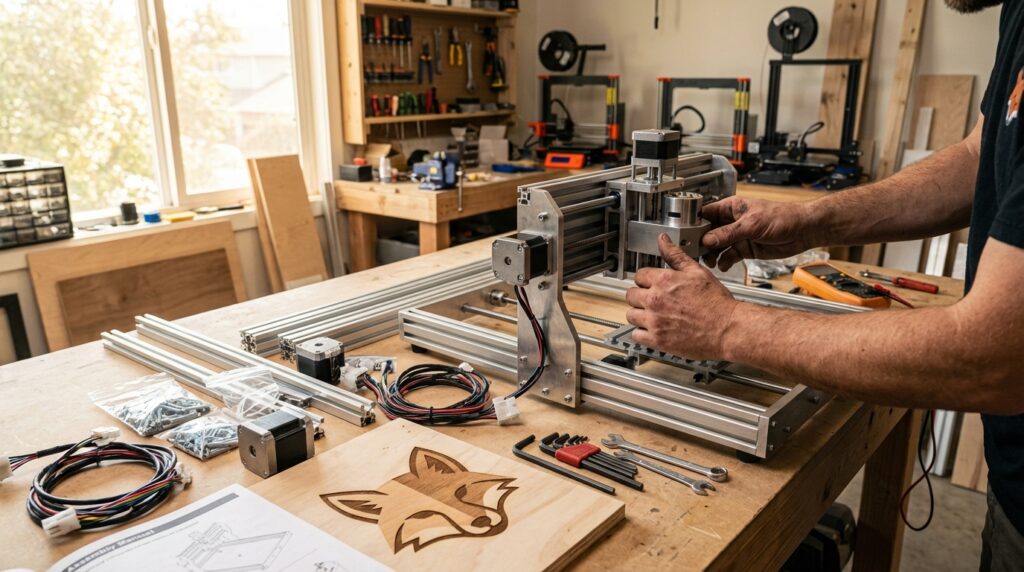
Assembly of the Shariff DMC2 Mini CNC Mill is a deep hands-on project, not a quick weekend build. Expect more than 40 hours to complete the kit, based on a full documented build. “Building a mill is an education into how machines like this work,” and the time invested teaches practical skills. As a result, patience and focus pay off during setup.
The process mixes mechanical alignment, wiring, and careful torque control on many fasteners. “It has more screws than anything else he’s ever built,” so organize parts before you begin. Because small mistakes can cause alignment issues, label parts and follow the manual step by step. However, taking time here saves hours later during calibration.
The real value comes from learning, therefore you get out of it what you put into it. After assembly you will understand mechanics, electronics, and CAM workflows with Fusion 360. For machining techniques and feeds, see CNC Cookbook CNC Cookbook. For material properties consult MatWeb MatWeb. Finally, use Mach3 documentation at Mach3 documentation to finish control setup. Many builders find the first test cut deeply rewarding. Keep a torque wrench, threadlocker, and basic hand tools on hand for accurate assembly.
Shariff DMC2 Mini CNC Mill Kit vs Fully Assembled Mill
| Aspect | Shariff DMC2 Mini CNC Mill Kit | Fully Assembled Mill |
|---|---|---|
| Price | $2,700 | $4,500 |
| Assembly time | About 40+ hours; full build and calibration | Minimal; 2–6 hours setup and calibration |
| Skill level required | Intermediate; patient beginners can learn | Beginner to intermediate; ready to run |
| Included features | All mechanical parts, 2.2 kW spindle, 36V closed-loop motors, flood cooling; controller board option; manual | Same hardware pre-assembled and calibrated; controller installed; tested |
| Warranty and support | Manufacturer parts support; assembly responsibility with buyer | Manufacturer support; pre-assembly testing typically included |
| Time to first cut | Several days to weeks depending on pace | Same day or next day after calibration |
| Best for | Makers who want to learn, customize, and save money | Users who want fast deployment and consistent results |
| Pros | Lower price; deep learning experience; customizable | Ready out of box; saves assembly time; vendor-tested |
| Cons | Time consuming; complex assembly; many screws | Higher price; less hands-on learning |
Conclusion
The Shariff DMC2 Mini CNC Mill offers real practical value for beginner makers and hobbyists. It balances desktop scale with industrial features, so you can machine metals and plastics. Because it pairs a powerful spindle with closed loop motors, accuracy and speed improve. Moreover, the kit option turns assembly into a hands-on learning course in mechanics and electronics.
Assembly requires patience and time, however it rewards builders with deep practical understanding. You get out of it what you put into it, and that applies here. For users who prefer fast deployment, the assembled option saves time and reduces setup work. Therefore choose the kit if you want to learn, and choose assembled for immediate projects.
The mill’s versatility spans plastics, aluminum, tool steels, and even titanium with proper tooling. As a result, you can prototype parts, refine designs, and explore advanced fabrication techniques. LeisureQuest helps makers find curated gear and project guides aligned with this theme. Finally, try a small project to test workflow, because quick wins build confidence. Start simple, learn steadily, and enjoy the process of turning spare time into practical skills.
Frequently Asked Questions (FAQs)
How hard is assembly of the Shariff DMC2 Mini CNC Mill?
Assembly is detailed and time consuming. Expect over 40 hours to finish the kit. “Building a mill is an education into how machines like this work,” and builders often note many fasteners. Because the kit has many screws, organize parts and label them. However, patient beginners can complete it with basic hand tools. You get out of it what you put into it.
What materials can the mill handle?
The machine cuts plastics and aluminum easily. Moreover, it can machine tool steels and titanium with correct tooling and feeds. For material properties consult MatWeb. Also, adjust speeds and depths for each alloy.
What software and controls are required?
The mill runs on Mach3 controller software. See Mach3 at the provided link. You can generate CAM toolpaths in Fusion 360 or similar packages. Finally, many builders swap or upgrade the controller board as needed.
Which buying option makes sense for beginners?
The kit costs $2,700 and the assembled mill costs $4,500. Choose the kit to learn mechanics and save money. Conversely, choose assembled to start projects faster.
What are good starter projects?
Try small enclosures, brackets, and nameplates. Also try prototyping parts and simple tooling. For feeds and techniques see CNC Cookbook at the provided link. Start simple and iterate.
Frequently Asked Questions About the Shariff DMC2 Mini CNC Mill
How hard is assembly of the Shariff DMC2 Mini CNC Mill?
* Time estimate: About 40 plus hours for the full kit build and calibration.
* Skill level: Intermediate recommended; patient beginners can complete the kit.
* Tips for success:
- Organize and label parts before starting.
- Follow the manual step by step and torque fasteners correctly.
- Keep a torque wrench, threadlocker, and basic hand tools on hand.
What materials can the mill handle?
* Typical materials: Plastics and aluminum with standard tooling.
* Advanced materials: Tool steels and titanium when using appropriate cutters and conservative feeds.
* Reference: Material properties are available at MatWeb for choosing speeds and depths.
What software and controls are required?
* Controller: The mill is commonly run with Mach3.
* CAM: Use Fusion 360 or similar CAM packages for toolpaths.
* Upgrades: Builders sometimes swap the controller board to add features.
Which buying option makes sense for beginners?
* Kit: Lower cost and excellent for learning mechanics and electronics.
* Fully assembled: Higher price but faster time to first cut and vendor tested.
What are good starter projects?
* Start small with enclosures, brackets, nameplates, and simple prototypes.
* For feeds and techniques consult CNC Cookbook.