
Steam Controller accessories and mobile mods: turning your phone into a social gaming console
Valve’s latest hardware release has reignited interest in handheld social gaming. Steam Controller accessories are at the heart of that shift, turning phones and small screens into communal play hubs.
The new Steam Controller arrives with mainstream compatibility goals and an approachable price point. It’s designed for couch co-op, local multiplayer, and quick drop-in sessions. That makes snap-on controllers, docks, and phone mounts suddenly much more relevant.
Mechanism is already moving fast to support the ecosystem. The company has opened a waitlist for a docking station launching in June 2026. They’re also sharing free 3D-print files and accessory designs so tinkerers and retailers can build variants.
This article walks through the best add-ons, simple mobile mods, and docking options to convert your phone into a social gaming console. Expect practical setup tips, compatibility notes, and the most useful accessories to buy or print.
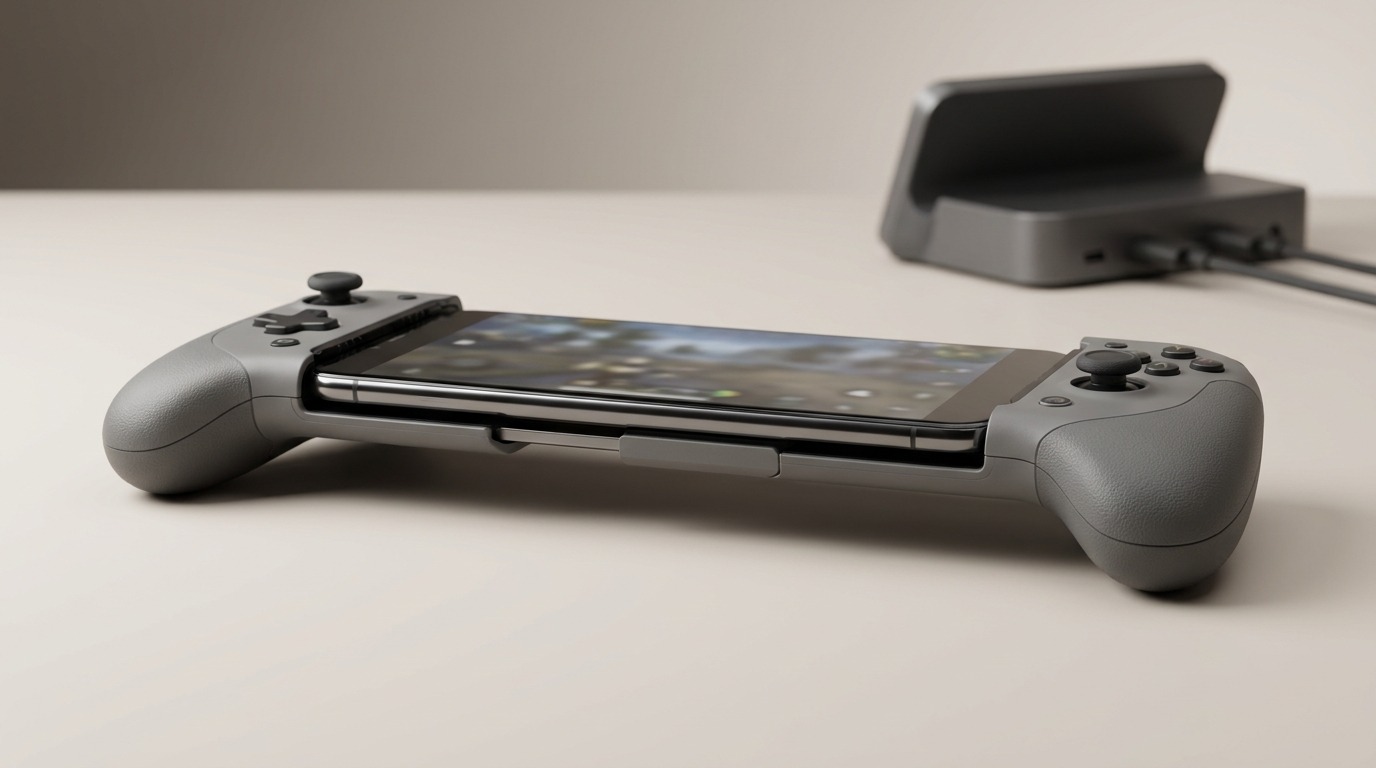
Image description: A modern smartphone in landscape mode fitted with compact snap-on gaming controllers on both sides. The controllers show analog sticks, small buttons, and textured grips. A subtle clamp and connector hold the phone to the controllers. A blurred docking station sits in the background, hinting at expandability. Product-photography lighting and shallow depth of field keep focus on the phone and controllers.
Steam Controller accessories that expand mobile play
A new accessory ecosystem is turning the Steam Controller into more than a desktop gamepad — it’s a bridge to social mobile gaming. From ergonomic grips to docks, these add-ons improve comfort, connectivity, and compatibility when you use a phone as the screen.
Key accessory types and what they do
-
Basegrip (snap-on grips)
- Features: Ergonomic side grips that clip or snap to the controller halves, integrated triggers and extra textured surfaces for longer play sessions.
- Benefits: Reduces hand fatigue, gives console-style feel to mobile sessions, and helps keep the controller steady when attached to a phone mount.
-
Steam Controller dock
- Features: Dedicated stand that holds the controller upright for quick pickup, charging contacts or USB-C passthrough, and a weighted base for stability.
- Benefits: Keeps controllers charged and display-ready for local multiplayer. A dock also serves as a central social hub during game nights.
-
Mechanism’s USB charging puck and power accessories
- Features: Compact charging puck designed to power the Steam Controller and provide USB passthrough for a phone or dock. Designed for tidy cable management.
- Benefits: Shortens setup time and prevents controller downtime during long sessions. The puck helps create a compact living-room charge station without bulky adapters.
-
Phone mounts and snap-on mobile mods
- Features: Landscape clamps, adjustable angle mounts, and quick-release brackets that pair a phone to the controller or dock.
- Benefits: Convert any compatible phone into a shared gaming screen fast. Adjustable mounts let you position the display for viewers during couch co-op or party play.
-
3D-printed accessory files and mods
- Features: Printable molds for clips, custom faceplates, thumbstick extenders, and bespoke mounts. Files are sized to standard controller dimensions for easy fit.
- Benefits: Low-cost customization and rapid prototyping for unique grips, alternative mounting solutions, or local retail variants. Makers can iterate quickly and tailor accessories to niche needs.
Each accessory category targets a specific pain point: comfort, charging, mounting, or personalization. Together they improve Steam Controller compatibility with phones and make mobile gaming more social, accessible, and reliable.
| Accessory | Price | Compatibility | Special Features | Availability |
|---|---|---|---|---|
| Basegrip (snap-on grips) | $20–$40 | Steam Controller; most phones via mounts | Ergonomic grips, integrated triggers, textured surfaces | Widely available from accessories retailers and third-party makers |
| Steam Controller dock | $30–$60 | Steam Controller; works with home setups, charges controller | Upright stand, charging contacts or USB-C passthrough, weighted base | Available from vendors and third-party dock makers |
| Mechanism docking station | TBD (waitlist) | Steam Controller; designed to integrate with docks and phone mounts | Weighted base, tidy cable routing, purpose-built dock experience | Mechanism waitlist — launch planned June 2026 |
| USB charging puck (Mechanism) | $15–$35 | Steam Controller; phone charging via passthrough | Compact charger, USB passthrough, cable management | Offered by Mechanism and select accessory sellers |
| Phone mounts & clamps | $10–$30 | Most smartphones (size-dependent); pairs with docks/controllers | Adjustable angle, quick-release, landscape orientation | Readily available from third-party retailers |
| 3D-printed mods & files | Free files; printing cost varies | Any compatible controller/phone when custom-fit | Custom clips, faceplates, thumbstick extenders; low-cost prototyping | Files available for free from Mechanism; community uploads |
Practical benefits and social impact
Accessories do more than add comfort — they reshape how people play together. Small hardware pieces turn solitary phone gaming into shared, living-room-friendly sessions.
Not all of this is seamless yet: Jay Peters notes that “the controller doesn’t work across all of iOS or Android yet,” which makes smart accessory choices important while platform compatibility catches up.
Immediate social benefits
- Lower setup friction: Phone mounts and snap-on grips let players pair a device and start a match in seconds. Less fiddling means more time playing together.
- Better visibility for groups: Adjustable mounts position a phone so multiple people can watch or take turns easily, turning a single device into a party screen.
- Shared ergonomics: Basegrips and comfortable docking positions reduce hand fatigue during longer multiplayer sessions, keeping play lively and social.
Convenience and reliability
- USB charging puck: A compact power puck shortens downtime. Keep controllers and phones topped up without swapping chargers mid-session.
- Docking as a social hub: A dock provides a consistent place to store, charge, and quickly hand off controllers. As Mechanism puts it, the dock is “perfectly weighted for your controller lifting pleasure,” which makes passing controllers feel deliberate and satisfying.
- Rapid customization: Free 3D-printed accessory files let communities iterate on mounts, clips, and custom grips. That low-cost customization fosters local groups and DIY scenes that share designs and tweaks.
Why it matters for social mobile gaming
Accessories bridge hardware and human moments. They reduce friction, improve comfort, and create rituals — putting devices where friends can see them and controllers where hands can reach them. That practical polish turns isolated phone play into memorable, social gaming sessions.
Conclusion
Accessories and mobile mods for the Steam Controller quietly change how we play together. Well-chosen gear—grips, docks, mounts, and simple power pucks—reduces setup friction and keeps sessions running longer and more comfortably.
That practicality matters: it shifts phone gaming from solitary scrolling to shared, couch-friendly experiences where friends can watch, pass controls, or jump in for co-op. Custom 3D files and modular dock designs make personalization and local tinkering easy, too.
LeisureQuest is your curated guide to quality leisure time. We highlight tools and accessories that inspire exploration, play, and learning. Visit LeisureQuest for curated picks and how-tos that help you build better game nights.
Ready to turn spare minutes into engaging quests? Try one accessory, test a mount, or join a waitlist for a dock. Small upgrades create bigger social moments. Share setups, print custom parts, and swap recommendations with friends to keep your game nights fresh every time.
Frequently Asked Questions (FAQs)
Are Steam Controller accessories compatible with my phone?
Compatibility depends on connection method and accessory type. For streamed PC play use the Steam Link app (controller support and streaming help: Steam Link support). For controller features, remapping, and supported device classes consult Steam Input documentation (Steam Input documentation). Always check a mount’s width range, connector alignment, and any platform notes (iOS Bluetooth restrictions can affect system-wide integration).
How do I attach a phone to a Steam Controller setup?
Use an adjustable landscape clamp or quick‑release mount sized to your phone. For wireless play pair the controller first; for wired play route the cable through your dock or charging accessory to reduce strain and perceived latency. Mechanism’s digital files and mount examples are useful references: Mechanism digital files.
Can I 3D print my own mods and accessories?
Yes. Mechanism and community repositories provide printable files; community projects and coverage of Valve’s released CAD geometry explain common reference dimensions. Start with PETG or ABS for durability, print test-fit pieces, then iterate. See community code and projects on GitHub: GitHub SteamController and a teardown/review for reference: PC Gamer review.
Will a USB charging puck power both controller and phone?
That depends on the accessory’s specifications. Look for explicit USB passthrough or PD (Power Delivery) ratings on the vendor page before relying on simultaneous charging.
Which accessory should I buy first?
Begin with a stable phone mount and a comfort-focused grip, then add a charging puck or dock if you host sessions. If pairing or input mappings fail, consult Valve’s Steam Controller support: Valve support.