3D Printer Review: Beginner friendly 3D printing and maker projects to start this weekend
Welcome to a hands on 3D Printer Review that puts beginners first. Whether you own a printer already or plan to buy one, this guide helps. It highlights simple, fun projects you can print this weekend.
3D printing feels exciting because it blends crafts and tech. Therefore you will learn core skills quickly. The projects use fused filament fabrication and common materials. Also many printers include CoreXY technology or automatic bed leveling for reliability.
Quick weekend projects
- Benchy boat and small vases to test print quality
- Custom keychains and phone stands to learn design basics
- Tool holders and clips to practice filament changing
Each project explains tools, settings, and finishing tips in plain language. Additionally we point out useful features like magnetic build plates and robust hot ends. As a result beginners can build confidence fast. Finally get ready to print, iterate, and enjoy maker success this weekend.
Elegoo Centauri Carbon 3D Printer Review
The Elegoo Centauri Carbon earns a spot in any beginner guide. This 3D Printer Review focuses on ease of use, reliability, and value. The machine delivers CoreXY technology and fused filament fabrication performance without complexity. As a result new makers spend time printing, not troubleshooting.
Setup feels quick and guided. The Centauri Carbon includes automatic bed leveling and a magnetic build plate. In addition automatic nozzle cleaning and filament changing simplify maintenance. Therefore you waste less filament and fewer hours on fiddly tasks.
Performance highlights include core specifications that matter to hobbyists and tinkerers:
- Build volume 256mm×256mm×256mm for small to medium projects
- Print speed up to 500mm per second for rapid prototyping
- Hot end temperature rated to 320 degrees Celsius for advanced materials
- Magnetic build plate for easy part removal and reliable adhesion
- 121 point auto bed leveling for consistent first layers
- Filament run out detection and auto unload for hands free prints
Reliability comes from a solid mechanical design. CoreXY technology reduces moving mass and gives higher acceleration. Because of this the printer maintains accuracy at higher speeds. The Centauri Carbon uses fused filament fabrication also known as FDM and supports PLA PETG ABS and composite filaments. For a primer on FFF see this resource.
Value stands out. The suggested retail price is $413, however frequent discounts bring it to about $279. For full specifications and purchase options visit the manufacturer at this page.
David Groom summed it up well. He wrote “The Elegoo Centauri Carbon doesn’t pioneer groundbreaking technology but rather packages recent innovations in a very easy to use device.” Moreover the Centauri Carbon gives beginners a fast reliable platform to start printing projects this weekend. Learn more about CoreXY kinematics at this website.
| Feature | Specification | Notes |
|---|---|---|
| Build volume | 256mm × 256mm × 256mm | Good for small to medium prints |
| Print speed | Up to 500 mm/s | Fast prototyping; CoreXY helps maintain accuracy |
| Hot end temperature | Up to 320°C | Supports advanced filaments like ABS and composites |
| Price | Retail $413; Discount $279 | Excellent value when discounted |
| Motion system | CoreXY | Lower moving mass; better acceleration |
| Printing tech | Fused filament fabrication (FFF/FDM) | Common, versatile for PLA PETG ABS |
| Special features | Magnetic build plate; 121-point auto bed leveling; automatic nozzle cleaning; filament run-out detection and auto unload | Simplifies print preparation and maintenance |
| Build plate removal | Magnetic | Easy part removal; less scraping |
| Maintenance | Automatic nozzle cleaning; filament changing support | Reduces downtime |
| Overall value | Reliable and beginner friendly | Good balance of features and price |
3D Printer Review Weekend Projects to Try This Weekend
Getting a quick win keeps motivation high. Therefore start with small useful prints you can finish in a few hours. These projects teach fused filament fabrication basics and essential skills like bed leveling and filament changing.
Try these beginner friendly projects:
- Benchy boat to test print quality and calibrate settings
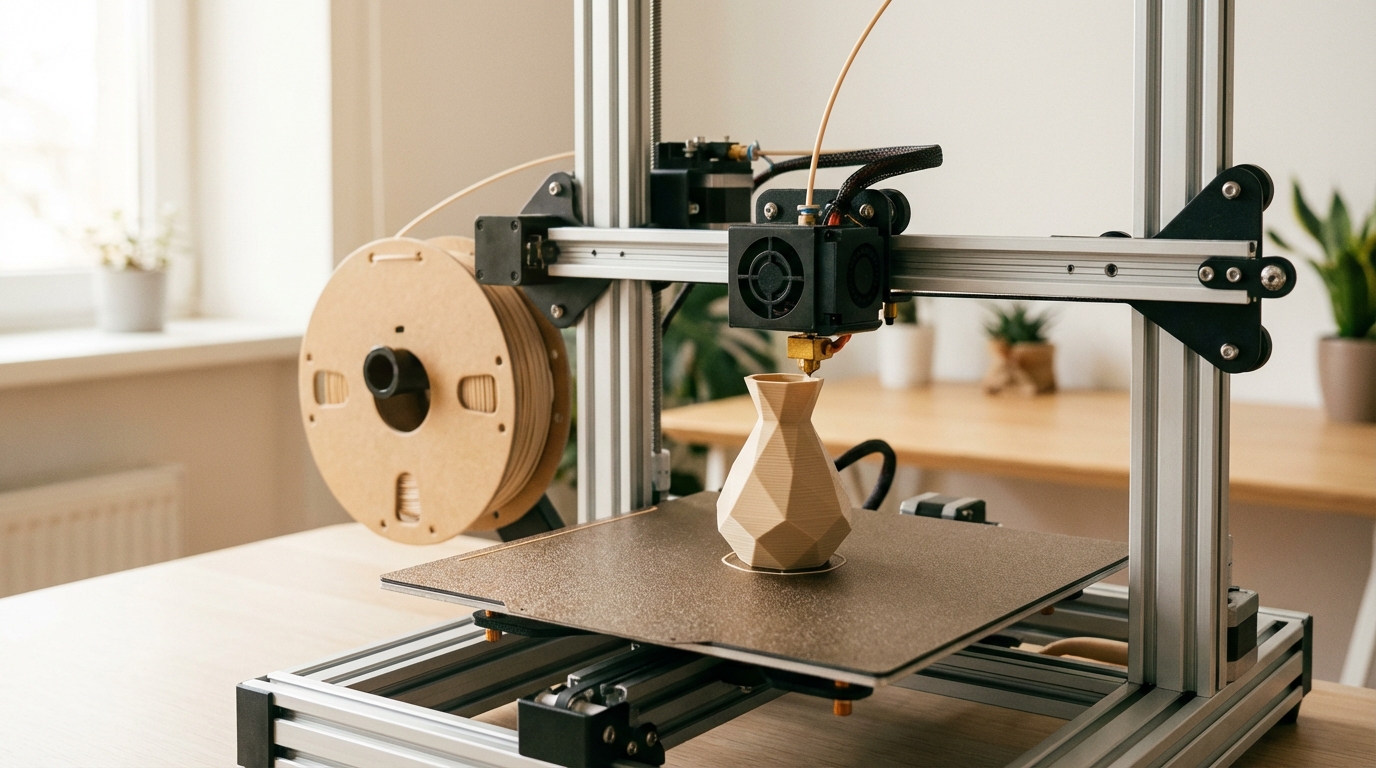
- Small geometric vase to practice layer consistency and removal
- Custom keychains to learn simple design and slicing
- Phone stand to combine fit and function in one print
- Tool holder and cable clips to organize your workspace quickly
- Simple hinge or living hinge to explore mechanical parts
- Flexible coasters using TPU to test your hot end settings
Use common 3D printing materials like PLA and PETG. However for flexible parts try TPU and for stronger parts use ABS with proper ventilation. For model files, search libraries such as Thingiverse at Thingiverse. For slicing and print preparation, use Ultimaker Cura at Ultimaker Cura. For step by step guides and finishing tips see Instructables at Instructables.
Structure your learning so you build skills gradually:
- Print simple shapes first to dial in bed leveling and adhesion
- Then print functional parts to learn tolerances and fit
- Next test flexible materials and higher temperatures up to 320 degrees Celsius
- Finally combine parts into small assemblies using basic post processing
Practical tips to keep weekend printing fun and productive:
- Start with a reliable profile and reduce print speed initially
- Also clean the magnetic build plate after each job for better adhesion
- Because automatic nozzle cleaning helps, run it before long prints
- As a result you will waste less filament and time
These projects work well with CoreXY printers like the Elegoo Centauri Carbon. They help you learn hot end behavior, bed leveling, magnetic build plate removal, and filament changing. Get printing this weekend and enjoy steady progress.
Conclusion
3D printing opens doors for creative beginners. This 3D Printer Review showed how accessible the hobby can be. Therefore newcomers can go from unboxing to useful prints quickly and with confidence.
The Elegoo Centauri Carbon highlights ease of use, reliability, and strong value. It pairs CoreXY speed with features like automatic bed leveling and a magnetic build plate. With a 256mm build volume and a 320°C hot end, you can try varied materials and practical parts.
Weekend projects give quick wins and steady skill growth. Start with a Benchy or a keychain, then move to a phone stand and tool holder. Because prints finish fast, you avoid overwhelm and build momentum.
LeisureQuest curates approachable maker guides to answer What should I do now? Visit LeisureQuest for curated quests and clear step by step plans. Finally, turn free time into engaging maker projects and enjoy the learning journey.
Frequently Asked Questions (FAQs)
Is the Elegoo Centauri Carbon a good beginner, starter 3D printer, or entry-level 3D printer?
Yes. The Centauri Carbon functions well as a beginner 3D printer and starter 3D printer. Features like automatic bed leveling and a magnetic build plate cut setup friction so novice makers can tackle easy 3D printing projects quickly.
How hard is setup and the first print for a novice or someone with a starter kit 3D printer?
Setup is straightforward. The printer ships mostly assembled. Guided touchscreen, auto bed leveling, automatic nozzle cleaning, and filament change support simplify calibration and maintenance. Therefore beginners spend more time printing simple 3D printing projects.
What materials and temperatures are supported for starter projects?
Supports PLA, PETG, ABS, TPU and some composites. Hot end reaches 320°C for higher-temp filaments. Use TPU for flexible parts at slower speeds. For ABS use ventilation and a heated enclosure.
What easy projects help me learn fast?
Start with these starter projects
- Benchy for quality checks
- Keychains and phone stands as easy 3D printing projects
- Tool holders and clips to practice tolerances
These short prints teach bed adhesion, fit, and post-processing.
How long do beginner friendly prints take?
Small parts often finish within 30 to 90 minutes. Higher quality settings or slower speeds increase print time.
What basic maintenance and troubleshooting should I expect?
Keep the magnetic build plate clean, run nozzle cleaning before long prints, store spare filament, and check belt tension if you see layer shifts. Join community forums for fast help and starter 3D printer tips.