
Dyson Vacuums: High-Tech Cleaning for Every Home
Dyson Vacuums have redefined household cleaning with a mix of engineering, design, and smart features that appeal to tech-minded homeowners. If you want powerful suction without tangled cords, hands-free floor care that maps your space, or a single tool that vacuums and tackles wet messes, this guide walks you through the latest models built for those needs. We’ll spotlight cordless innovations that free you from outlets, robotic options that learn your home and run on schedules, and hybrid machines with wet-floor or mopping capabilities. Expect concise comparisons of design trade-offs, real-world runtimes, and must-have accessories so you can match a model to your lifestyle.
Whether you live in a busy family home, share space with shedding pets, or prefer a sleek, automated cleaning routine, the next pages highlight which Dyson delivers the best balance of convenience and performance. Read on to discover which new Dyson fits your priorities—and why investing in smarter cleaning tech can change how often and how easily you clean.
Dyson Vacuums — Features and Models
Dyson continues to push vacuum design toward higher suction, lighter cordless platforms, and multi-surface flexibility. This section compares three headline models and highlights the features that matter when choosing a cordless vacuum for real homes.
Dyson V15 Detect
The V15 Detect pairs strong cleaning performance with intelligent sensors. Key points:
- Laser dust detection makes fine particles visible on hard floors.
- Suited for mixed surfaces: carpets, rugs, and hard floors.
- Price note: the V15 Detect lists around $599 but is often found refurbished near $271.
- Ideal if you want a balance of power, diagnostics, and cordless convenience.
“The V15 Detect is the best in Dyson’s lineup with a reasonable (if still high) price and mix of features.”
Dyson Gen5Detect
Dyson’s Gen5Detect focuses on raw suction and high throughput.
- Suction power: 262 air watts, Dyson’s most powerful figure.
- Built to handle dense carpets, deep dirt, and high-traffic homes.
- Robust filtration and motor design for sustained performance.
Dyson V11
The V11 remains a practical, proven choice.
- Strong all-around suction with reliable battery life.
- Simpler feature set compared to newer models, often at a lower price.
- Good option if you want a cordless vacuum with solid performance and fewer advanced sensors.
Hybrid and Specialized Options
- Dyson V15s Detect Submarine combines vacuuming and mopping, offering up to 60 minutes runtime.
- Robotic and upright variants cover automated cleaning and traditional canister needs.
“Getting a Dyson is well worth the splurge for several homes and use cases.”
Accessories and Maintenance
- Common vacuum accessories: motorized mini-tools, crevice tools, soft rollers, and docking stations.
- Pro Mobile Dock (refurbished) can be a useful accessory; discounted units have been available around $79.20 with codes.
- Basic maintenance: empty the bin frequently, wash or replace filters per manual, check brushbars for tangles, and follow battery care tips to prolong runtime.
Choosing between models comes down to suction needs, whether you value smart sensors, and which vacuum accessories you plan to use.
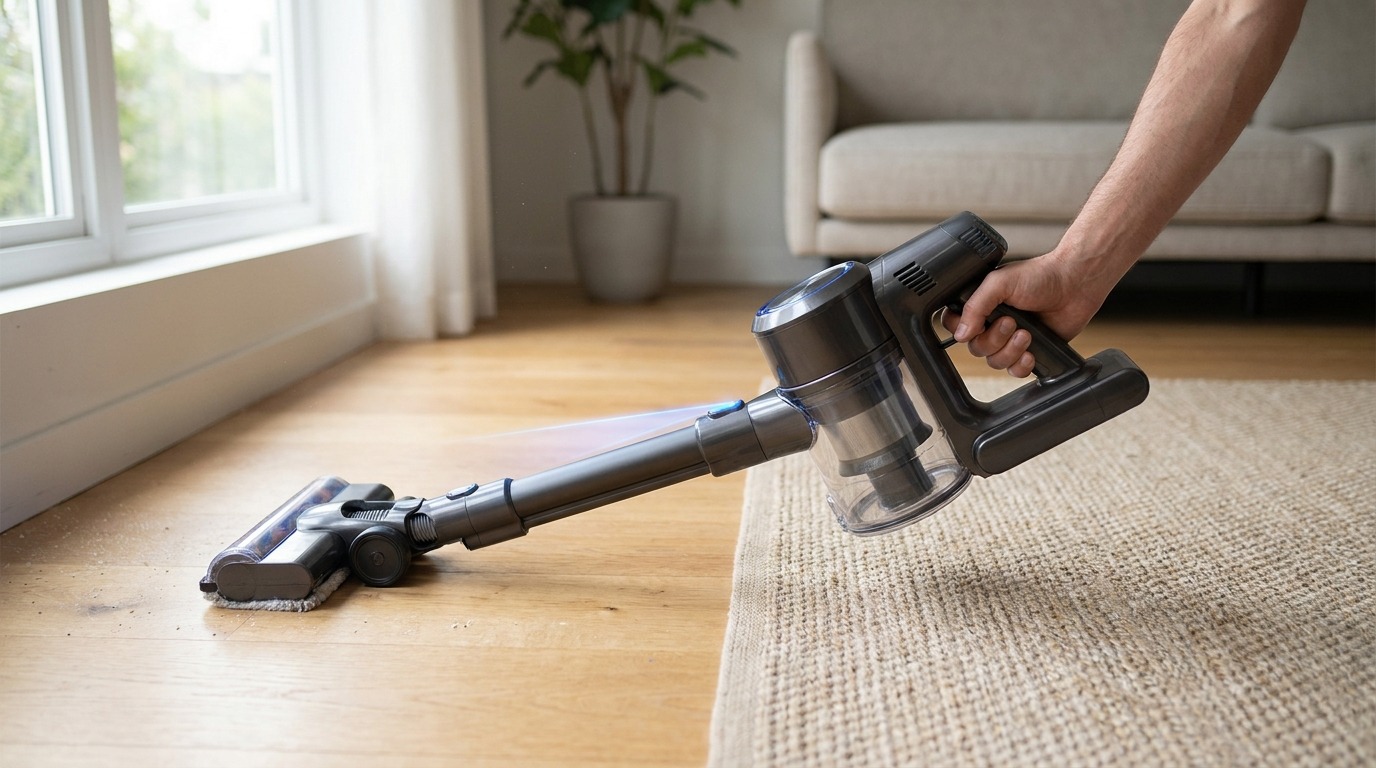
Image credit: LeisureQuest
Dyson Vacuum Model Comparison
| Model | Suction Power | Runtime | Unique Features | Price (new / refurbished) | Best Use Cases |
|---|---|---|---|---|---|
| Dyson V15 Detect | High; advanced particle detection with laser | Up to ~60 minutes (mode dependent) | Laser dust detection; smart diagnostics; cordless stick design | ~$599 list / refurbished ≈ $271 | Mixed surfaces, pet hair, precision cleaning |
| Dyson Gen5Detect | 262 air watts (Dyson’s most powerful) | Varies by mode; designed for sustained high-power cleaning | Maximum suction for dense carpets; robust filtration | Premium pricing; varies by retailer | Deep-cleaning, high-traffic homes, heavy soils |
| Dyson V12 Detect Slim | High for a slim form factor | Moderate to good; optimized for portability | Slim, lighter design; targeted detection for fine dust | Mid-range; often cheaper than V15 | Small homes, quick cleanups, cordless convenience |
| Dyson 360 Nav Vis | Moderate (robotic class) | Robotic runtime varies; typically schedule-based | Robotic navigation with LiDAR/vision; autonomous cleaning | Higher-end robotic price; refurbished options vary | Hands-off cleaning, scheduled maintenance, multi-room coverage |
| Dyson Big Ball Multi Floor Vacuum | Strong (corded upright/canister performance) | Corded — continuous mains power | Self-righting ball design; traditional powerful suction | Legacy model pricing varies | Multi-floor homes, deep carpets, users preferring corded reliability |
Notes: Refurbished prices shown where reported. Runtime and pricing vary by configuration and retailer.
Accessories and Maintenance Tips for Dyson Vacuums
Keeping your Dyson operating at peak performance requires the right vacuum accessories and a simple maintenance routine. Small, timely tasks preserve suction, extend battery life, and reduce repair needs.
Maintenance schedule and priorities
- After every use: empty the dust bin into a trash can to avoid dust buildup and loss of suction. For homes with pets, empty immediately when the bin fills halfway.
- Weekly: inspect the main brushbar and remove hair and fibers. Use scissors or a seam ripper to cut wrapped strands before pulling them away.
- Monthly: remove and clean washable filters. Rinse under cold water until clear, then air-dry completely (at least 24 hours) before reinstalling to prevent motor damage.
- Quarterly: check seals, wand connections, and motorized tool bearings for wear. Replace cracked seals to preserve filtration efficiency.
Battery and storage tips (cordless vacuum care)
- Store batteries and cordless Dyson Vacuums in a cool, dry place away from direct sunlight and extreme temperatures.
- For long-term storage, keep the battery around 30–60% charge rather than full or empty to prolong cell life.
- If runtime drops significantly after 2–3 years, a battery replacement or refurbishment usually restores performance.
Accessories: when and which to use
- Motorized mini-tools: best for stairs and upholstery; ideal for trapped pet hair.
- Soft roller heads: use on hard floors to pick fine dust and avoid scratching.
- Crevice and mattress tools: tackle tight spaces and bedding.
- Pro Mobile Dock: a branded docking and storage solution that simplifies accessory organization and charging—watch for refurbished promotions if you want a lower price point.
Preventive care and parts
- Use genuine Dyson replacement filters and components to maintain warranty and fit.
- Keep a small toolkit (screwdriver, scissors, soft brush) for quick fixes.
- Log filter washes and battery changes to track when replacements are due.
Consistent vacuum maintenance increases suction efficiency, reduces service visits, and keeps accessories working longer. A little routine care goes a long way toward preserving your investment in advanced cleaning tech.
Conclusion: Why Dyson Vacuums Make Sense for Tech-Minded Homes
Investing in Dyson Vacuums brings clear practical and emotional returns. These machines combine thoughtful engineering, intuitive cordless design, and focused tools that simplify cleaning. For many buyers, the result is less time spent on chores and better results from routine maintenance.
Key advantages at a glance:
- Precision cleaning for fine dust and pet hair with laser and detection features.
- Cordless convenience that frees you from outlets and speeds up quick cleanups.
- High-suction and durable designs that handle deep carpets and heavy use.
- Hybrid options that combine vacuuming and wet-floor care for one-pass cleaning.
“Getting a Dyson is well worth the splurge for several homes and use cases.”
If you value performance, longevity, and smarter tools, a Dyson often pays off over time. “The V15 Detect is the best in Dyson’s lineup with a reasonable (if still high) price and mix of features.” Use that as a starting point when choosing between precision models, high-power options, and robot cleaners.
LeisureQuest exists to inspire exploration, play, and learning. Visit LeisureQuest for more buying guides and deals. For deeper reading, check our related articles on AI-powered robot vacuums, spring sale deals, and top tech offers:
- AI-powered robot vacuum comparison
- Amazon Big Spring Sale deals
- What are the top tech deals of 2026
- Vacuum and sports gadgets in the Olympics
Explore those pieces to compare models, find promotions, and refine your buying decision.
Frequently Asked Questions (FAQs)
Are Dyson Vacuums worth the price?
For many buyers, yes. Dyson emphasizes suction, filtration, and engineered tools that reduce cleaning time and improve results. Consider refurbished units or older models (V11, V12) to lower cost while keeping core benefits.
How do the main Dyson models differ (V15 Detect, Gen5Detect, V11)?
V15 Detect focuses on precision (laser dust detection and diagnostics); Gen5Detect delivers maximum suction for dense carpets; V11 balances performance and price. Match model to your flooring and detection preferences.
What can I expect from battery life and how do I extend it?
Expect 20–60 minutes depending on model, head, and power mode. Extend life by using Eco/Auto modes for routine cleaning, storing in cool dry places, avoiding full deep discharges, and replacing the battery after 2–4 years if runtime drops sharply.
Which Dyson is best for pet hair and mixed surfaces?
V15 Detect and Gen5Detect are top picks—V15 for targeted detection and anti-tangle heads; Gen5Detect for sustained suction on thick carpets. Use motorized mini-tools for upholstery and stairs.
How often should I replace filters and brushbars?
Wash washable filters monthly (air-dry 24+ hours). Replace non-washable filters or heavily degraded ones per Dyson’s guidance—typically every 12–24 months with heavy use. Inspect brushbars weekly and replace when bristles are worn or motors strain.
My vacuum loses suction—what should I check?
Empty the bin, inspect and clean filters, remove blockages in wand and head, check brushbar for hair wrap, and confirm seals are intact. If problems persist, test with a different head to isolate the issue.
Can I use third‑party batteries or parts?
Third‑party parts can be cheaper but may void warranty or reduce performance. For reliability and safety, prefer genuine Dyson batteries and certified replacement parts.
Do Dyson robots integrate with cordless models or apps?
Dyson’s robot vacuums have their own app/controls; they don’t pair with stick models but can coexist in a smart home. Use scheduling and zone settings in the robot app for hands‑off upkeep.
What about mopping and hybrid units?
Hybrid units (e.g., vacuum+mop designs) can handle light spills and maintenance mopping but won’t replace a dedicated wet-mop for heavy soiling. For one‑pass convenience, consider models specifically designed for combined cleaning.
Where should I buy and what about warranties?
Buy from Dyson or authorized retailers to ensure warranty coverage. Refurbished units from Dyson Certified or trusted retailers offer warranty-backed savings—verify return policies and battery coverage.