Working from a Cafe or the Train
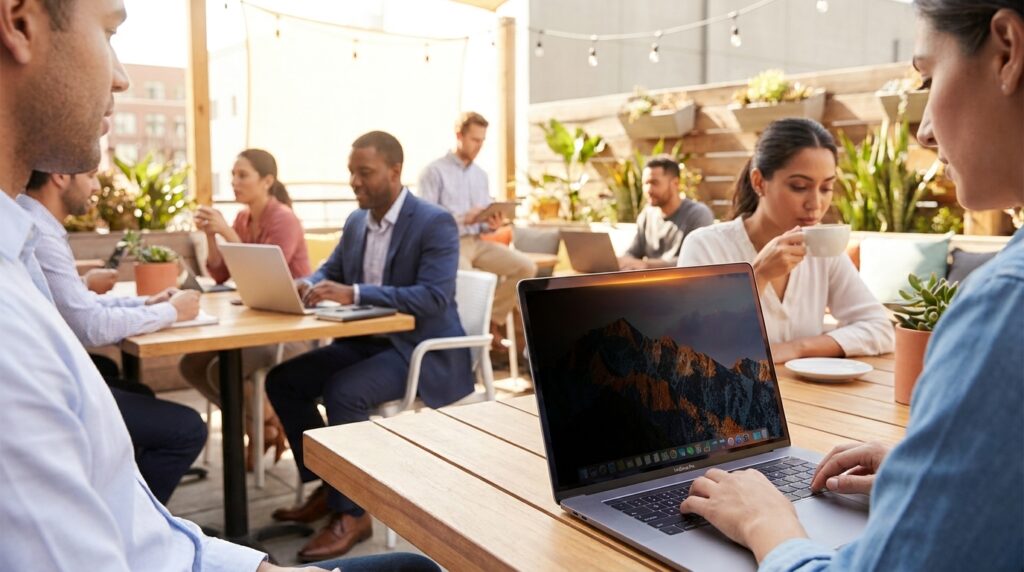
Working from a cafe or the train can feel liberating until someone leans over and your screen becomes a public bulletin. A Laptop Privacy Screen is a thin filter that narrows viewing angles so only the person directly in front sees your display. It protects passwords, client files, and awkward tab moments, and also cuts glare when sunlight hits your laptop.
I started using one on weekend trips and noticed an immediate drop in shoulder-checks and squinting. Modern accessories like the Targus 4Vu Magnetic Privacy Screen make the swap effortless: magnetic attachment, precise fit for MacBook Pro models, and quick removal when you want to share a screen.
This short accessory blends privacy with travel-friendly design, so you can work on sensitive documents without staging a fortress. In this article I’ll explain how privacy screens work, how to choose one for travel, and practical tips for maintaining screen clarity and battery life while staying private. Whether you’re a digital nomad, commuter, or weekend trip planner, better privacy and reduced glare can make public work comfortable again.

Laptop Privacy Screen Benefits
Using a privacy screen changes how public work feels. Instead of repeating what it is, here are the concrete gains you’ll notice right away:
- Strong on-screen privacy: narrows side viewing by about 30 degrees on each side, so nearby people see a darkened display unless they sit directly behind you.
- Reduced screen glare: the filter redirects and absorbs stray light, cutting reflections from windows, lamps, and overhead lights for a clearer front-facing view.
- Brightness masking effect: when display brightness is 50% or higher, side views appear at low brightness similar to the lowest setting, keeping text and images unreadable from angles.
- Exact magnetic fit for MacBook Pro: magnetic privacy screens like the Targus 4Vu align precisely to the MacBook Pro bezel, providing full coverage with no gaps.
- Fast attach and remove: magnetic mounting snaps on instantly and detaches cleanly when you want to share your screen or close up for travel.
- Travel-ready protection: thin, lightweight construction adds minimal bulk and helps protect the screen surface during transit.
- Better focus and comfort: fewer shoulder-checks and less squinting improve concentration and reduce eye strain during long sessions.
These benefits add up for commuters, frequent flyers, and open-office workers. The result is practical privacy, less glare, and a more confident public-work routine. Try one on a trip.
Laptop Privacy Screen Comparison
Quick comparison of common options to help you choose.
| Brand / Product Name | Compatibility | Viewing Angle Reduction | Magnetic Feature | Price Range (USD) |
|---|---|---|---|---|
| Targus 4Vu Magnetic Privacy Screen | MacBook Pro (select 13–16-inch models) | ≈30° each side (±30°) | Yes — exact magnetic fit | $30–$80 |
| Kensington UltraThin Magnetic Privacy Screen | MacBook Pro 14″ & 16″ (model-specific) | ≈30° each side | Yes | $60–$75 |
| 3M Privacy Filter | Wide range of laptops, model-specific MacBook filters available | ≈30° (varies by model) | No — adhesive or slide-on styles | $25–$70 |
Note: Viewing-angle specs and prices vary by model and seller — confirm compatibility before buying.
Real user experience and insights
Personal stories show why a privacy accessory matters beyond specs. Luke Larsen told us he used to avoid cafés for client work. After trying a magnetic privacy screen he said, “This Privacy Screen Totally Changed How I Feel About Working in Public.” That feeling—less exposed, more in control—repeats in conversations with commuters and digital nomads.
Another frequent traveler summed it up simply: “Once I tried it, I was sold.” For many people the change is immediate and emotional. They report fewer nervous glances, more productive stretches of focused work, and an easier time handling sensitive tasks on the go.
Practical user insights:
- Use it for sensitive work bursts: attach the screen when you open confidential files, then detach when you’re done. It keeps habits simple.
- Lower-brightness trick: pairing moderate brightness with the privacy filter extends battery life and increases side masking—useful on long trips.
- Share intentionally: flip the screen off or remove the filter for collaborators instead of angling the laptop; it makes sharing smoother.
- Pack protection: store the thin magnetic screen flat in a sleeve to avoid scratches and speed reattachment.
These real-world reactions show the accessory does more than hide content. It changes how people choose where to work, what they bring, and how confidently they use public spaces.
Conclusion
A Laptop Privacy Screen offers simple, practical protection that changes how you work away from a desk. It reduces side visibility, cuts glare, and restores confidence when handling sensitive material. For commuters and weekend travelers, it adds privacy without bulk. Magnetic models that fit MacBook Pro snap on quickly, stay aligned, and are easy to remove when sharing.
Beyond specs, users report calmer focus and fewer awkward moments — benefits that improve productivity and travel comfort. If you value privacy and reduced eye strain, adding a privacy screen is an affordable upgrade that makes public work less stressful.
For curated gear tips, travel tech guides, and micro-adventure ideas that pair well with mobile productivity tools, visit LeisureQuest. Our guides highlight products and practices that help you stay engaged in work and play. Explore recommendations and trip-ready tech at LeisureQuest and find the gear that helps you work confidently, wherever you go.
Frequently Asked Questions (FAQs)
How do I install a laptop privacy screen?
Installation depends on the style. Magnetic screens snap to a compatible bezel and usually require no tools. Adhesive or slide-on filters use removable tabs or frames. Clean the display, align the filter, and attach following the manufacturer steps. Keep the screen flat in a sleeve when not in use to avoid scratches.
Will a magnetic privacy screen work with my MacBook Pro?
Many magnetic privacy screens are model-specific and designed to align with MacBook Pro bezels. Check the product compatibility list before buying. If a magnetic option isn’t listed, look for adhesive or slide-on versions made for your exact model.
Do privacy screens also reduce screen glare?
Yes—many privacy filters have an anti-glare surface that cuts reflections and softens harsh light. Performance varies by material, so choose a privacy screen that explicitly lists glare reduction or anti-reflective coatings if glare is a priority.
How effective are privacy screens at stopping side viewing?
Privacy filters significantly reduce side visibility for casual onlookers, making shoulder-checks unreadable. They aren’t a substitute for physical security when facing determined viewers. For best results, combine the filter with moderate screen brightness and mindful seating.
Are privacy screens worth the price?
That depends on how often you work in public. Budget options cover basic privacy and scratch protection. Mid-range or magnetic models add easier attachment, precise fit, and cleaner removal. Consider laptop model fit, travel frequency, and whether glare reduction matters when choosing.